> ## Documentation Index
> Fetch the complete documentation index at: https://docs.bytebase.com/llms.txt
> Use this file to discover all available pages before exploring further.
# Sign-in Restriction
## Rate Limiting for Login Attempts
Bytebase implements rate limiting to protect against brute force attacks on user authentication. The system automatically tracks and limits failed login attempts:
### Password Authentication Phase
* **Maximum attempts**: 10 failed attempts
* **Time window**: 10 minutes
* After exceeding the limit, the account will be temporarily locked
### Multi-Factor Authentication (MFA) Phase
* **Maximum attempts**: 5 failed attempts
* **Time window**: 5 minutes
* After exceeding the limit, the MFA verification will be temporarily locked
* MFA temporary token expires after 5 minutes
These security measures help protect user accounts from unauthorized access attempts while ensuring legitimate users can still access their accounts.
## Sign-in Frequency
**Sign-in Frequency** specifies the period that users are required to sign in again.
In Bytebase Workspace, Go to **Settings** > **General** and scroll down to **Account** section.
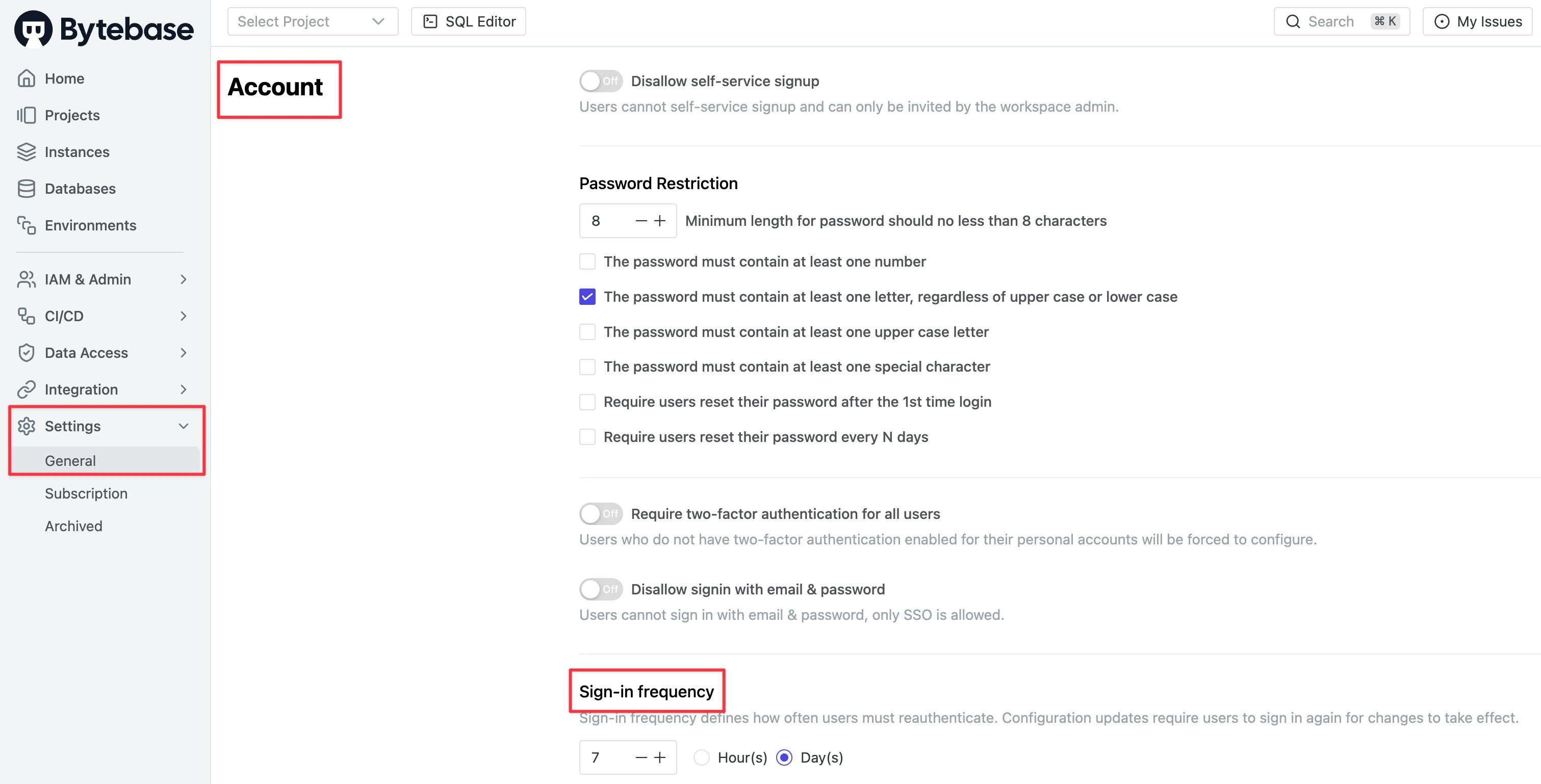 You need to restart Bytebase to make the change take effect.
## Disallow Sign-in with Email & Password
Once [SSO](/administration/sso/overview) is configured, you can [enforce SSO sign-in](/administration/sso/overview/#enforce-sso-sign-in) for all users.
## Sign-in from Email Domains
Go to **Settings** > **General**, scroll down to **Security** section. For **Workspace Domain**, you can configure allowed email domains for your workspace members. Click **Add domain** to add multiple domains as needed. After adding your domains, enable the **Members restriction** checkbox to enforce the restriction.
Following domains are disallowed:
* gmail.com
* googlemail.com
* outlook.com
* hotmail.com
* live.com
* msn.com
* yahoo.com
* ymail.com
* rocketmail.com
* icloud.com
* me.com
* mac.com
* aol.com
* zoho.com
* protonmail.com
* gmx.com
* gmx.net
* mail.com
* yandex.com
* yandex.ru
* fastmail.com
* fastmail.fm
* tutanota.com
* 163.com
* 126.com
* sohu.com
* qq.com
* sina.com
* sina.cn
* aliyun.com
* aliyun.cn
* tom.com
* 21cn.com
* yeah.net
You need to restart Bytebase to make the change take effect.
## Disallow Sign-in with Email & Password
Once [SSO](/administration/sso/overview) is configured, you can [enforce SSO sign-in](/administration/sso/overview/#enforce-sso-sign-in) for all users.
## Sign-in from Email Domains
Go to **Settings** > **General**, scroll down to **Security** section. For **Workspace Domain**, you can configure allowed email domains for your workspace members. Click **Add domain** to add multiple domains as needed. After adding your domains, enable the **Members restriction** checkbox to enforce the restriction.
Following domains are disallowed:
* gmail.com
* googlemail.com
* outlook.com
* hotmail.com
* live.com
* msn.com
* yahoo.com
* ymail.com
* rocketmail.com
* icloud.com
* me.com
* mac.com
* aol.com
* zoho.com
* protonmail.com
* gmx.com
* gmx.net
* mail.com
* yandex.com
* yandex.ru
* fastmail.com
* fastmail.fm
* tutanota.com
* 163.com
* 126.com
* sohu.com
* qq.com
* sina.com
* sina.cn
* aliyun.com
* aliyun.cn
* tom.com
* 21cn.com
* yeah.net
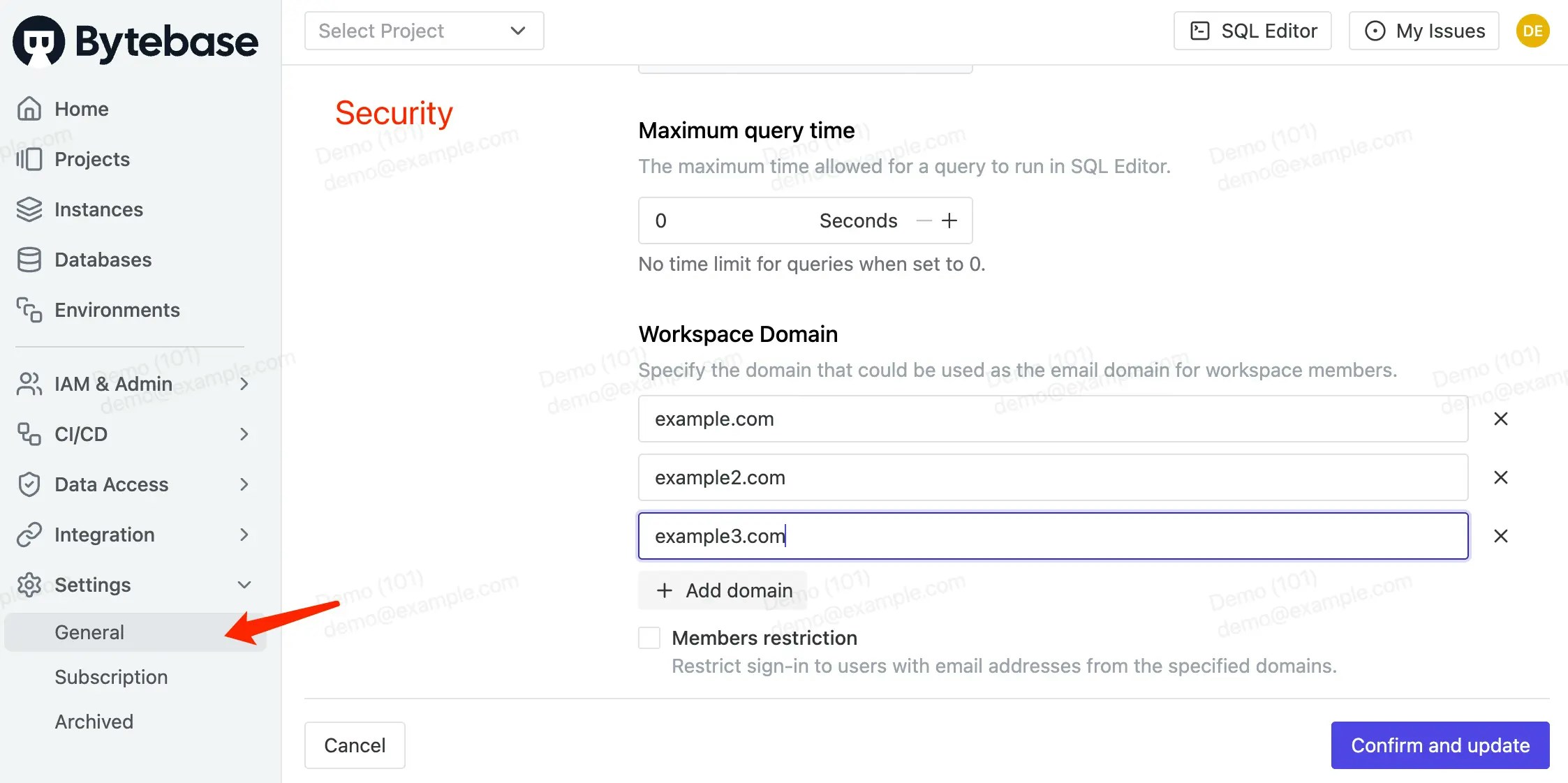 Domain restriction applies to:
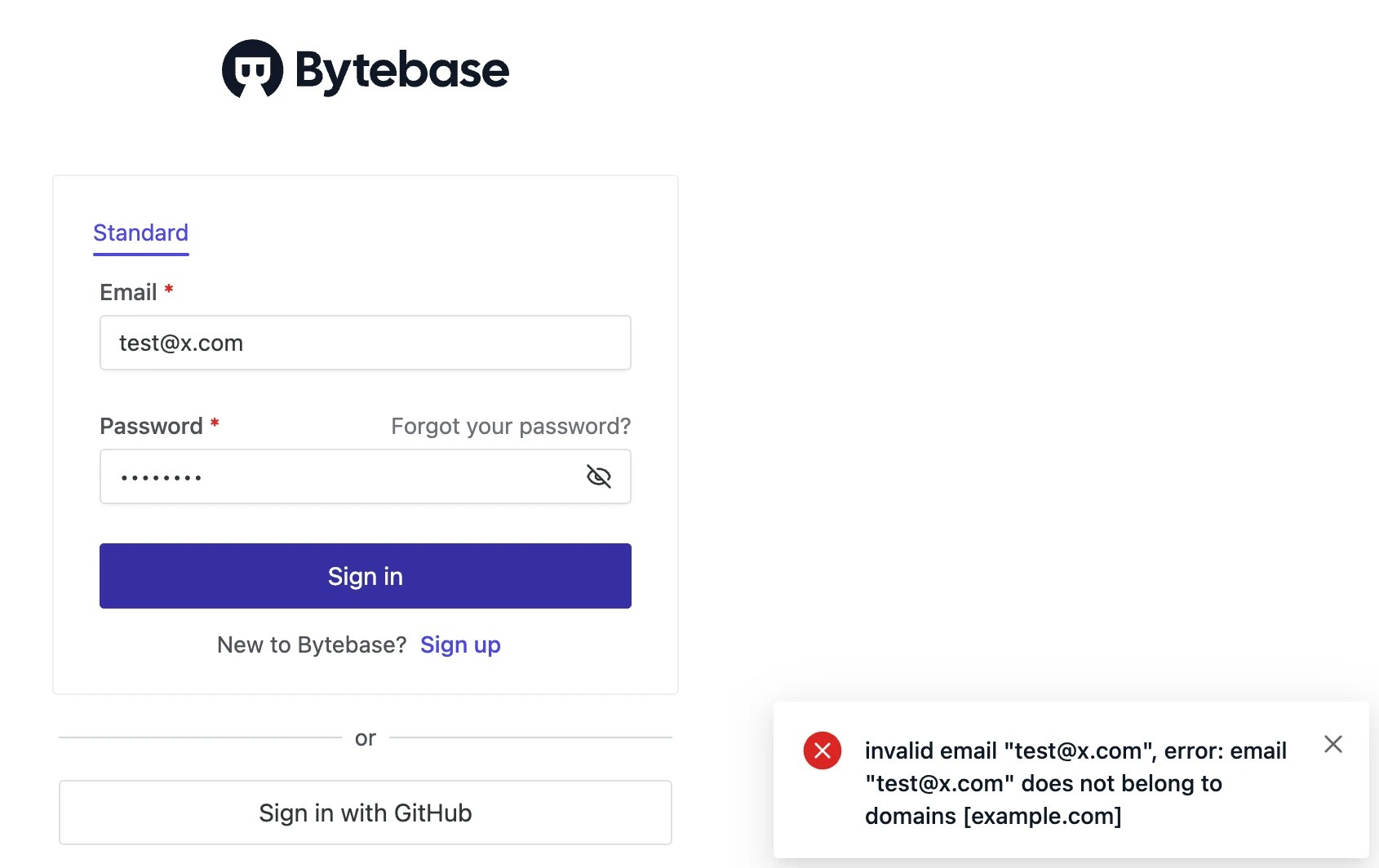
* Sign-in page. (Note that the new restriction only applies to the accounts registered after the **Workspace Domain** was updated)
Domain restriction applies to:
* Sign-in page. (Note that the new restriction only applies to the accounts registered after the **Workspace Domain** was updated)
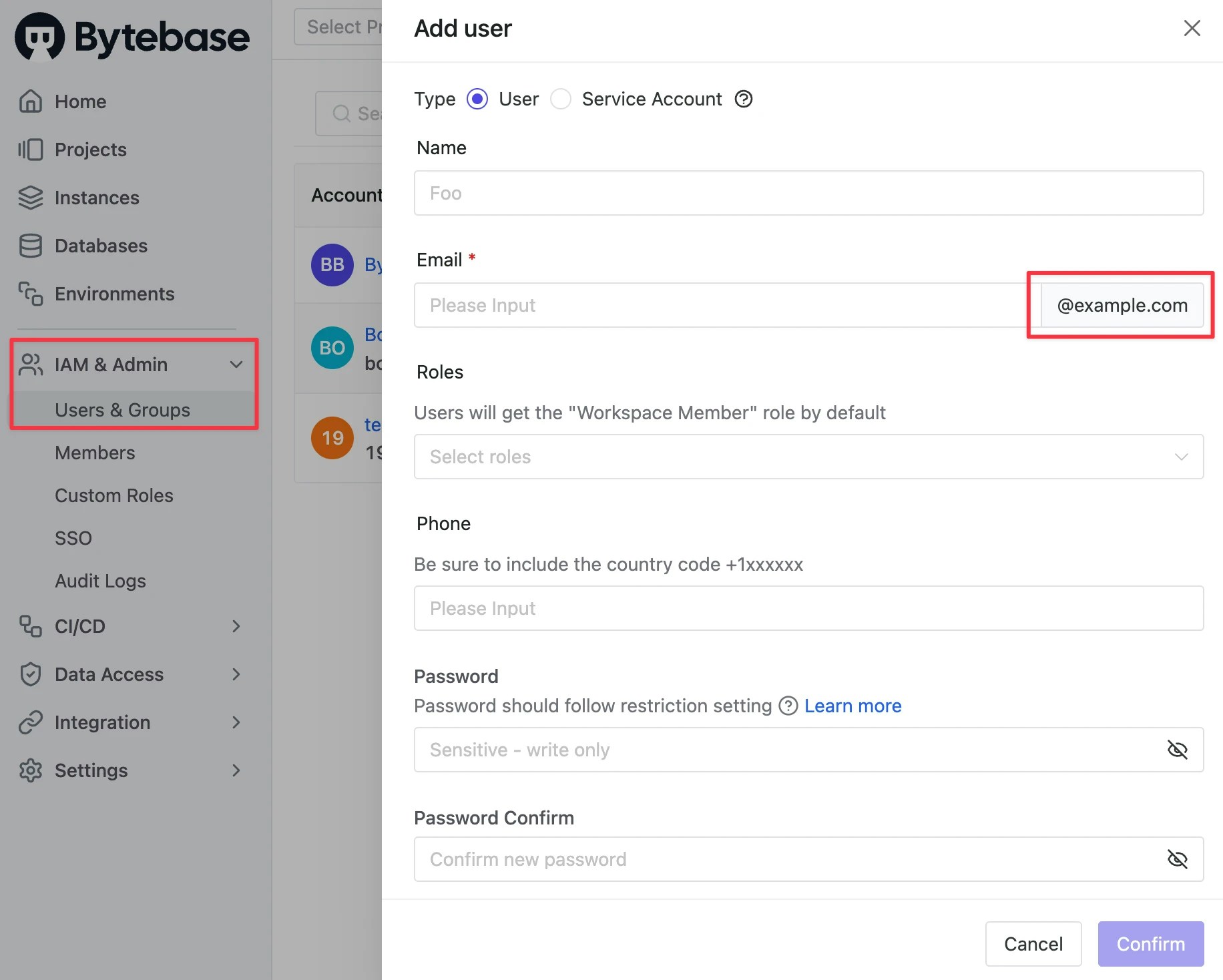
 * **Add User** in **IAM & Admin** > **Users & Groups**. Users' email must be of the domain you set.