> ## Documentation Index
> Fetch the complete documentation index at: https://docs.bytebase.com/llms.txt
> Use this file to discover all available pages before exploring further.
# Batch Change
Bytebase allows you to change a collection of databases in a single workflow. These databases usually have a homogenous structure while belonging to different development environments, geographic locations, SaaS tenants, data centers or data partitions.
## Change databases from multiple environments
A development pipeline usually consists of multiple environments.
Each environment has its isolated database to store the respective data. A schema change will be propagated from each database following the development pipeline. You may have multiple databases in one stage as well.
In Bytebase, you can select multiple databases from different environments to apply the database change.
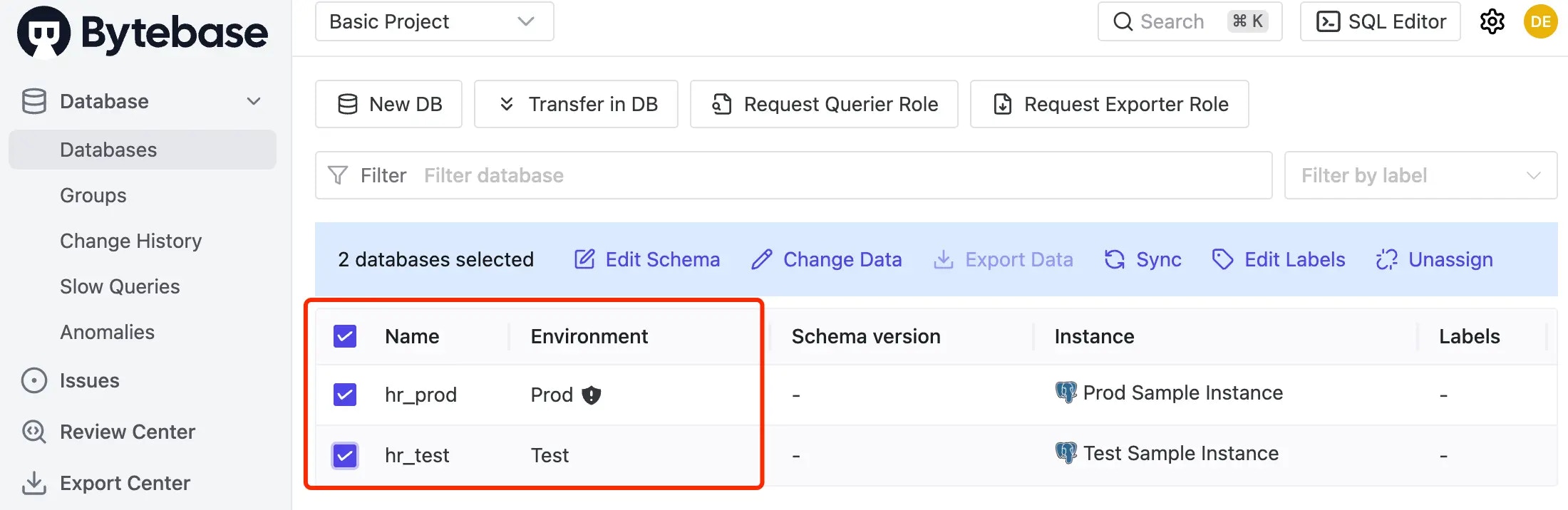 Then Bytebase will then create an issue to track the multi-database changes. You may deploy changes one database after another or batch deploy databases at the same stage.
## Database group
Database groups allow you to manage and batch change multiple databases together. This is particularly useful for SaaS multi-tenant architectures, geographic deployments, or database partitioning scenarios.
Learn how to create and manage database groups
### Batch change databases in a group
1. Within the project, click **Database > Groups** on the left-side bar. Click **Edit Schema**, choose **Database Group**, select the database group you'll operate and click **Next**.
Then Bytebase will then create an issue to track the multi-database changes. You may deploy changes one database after another or batch deploy databases at the same stage.
## Database group
Database groups allow you to manage and batch change multiple databases together. This is particularly useful for SaaS multi-tenant architectures, geographic deployments, or database partitioning scenarios.
Learn how to create and manage database groups
### Batch change databases in a group
1. Within the project, click **Database > Groups** on the left-side bar. Click **Edit Schema**, choose **Database Group**, select the database group you'll operate and click **Next**.
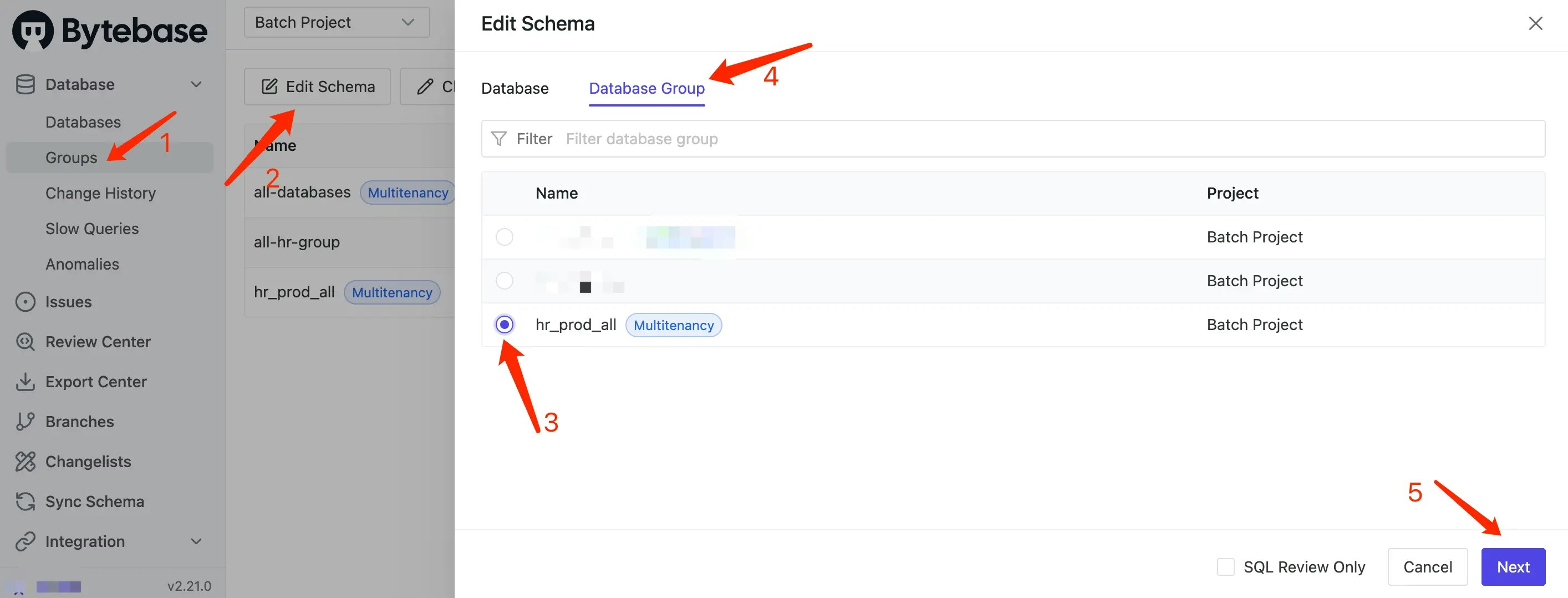 2. An issue with the selected databases will be previewed. Add the SQL in the text field and click **Create**. The issue is created and waiting for approval.