> ## Documentation Index
> Fetch the complete documentation index at: https://docs.bytebase.com/llms.txt
> Use this file to discover all available pages before exploring further.
# Step 6: Change Schema
Database changes follow four stages: **Plan**, **Review**, **Approve**, and **Rollout**. Plans become Issues when submitted for review.
## Create a Plan
1. Navigate to **CI/CD** > **Plans** and click **+ New Plan**.
2. Select target databases and click **Confirm**.
3. Add your SQL statement or use **Schema Editor** for visual design.
## Create Issue & Run SQL Review
1. Click **Create** and the plan will be in `Draft` status with automatic SQL review.
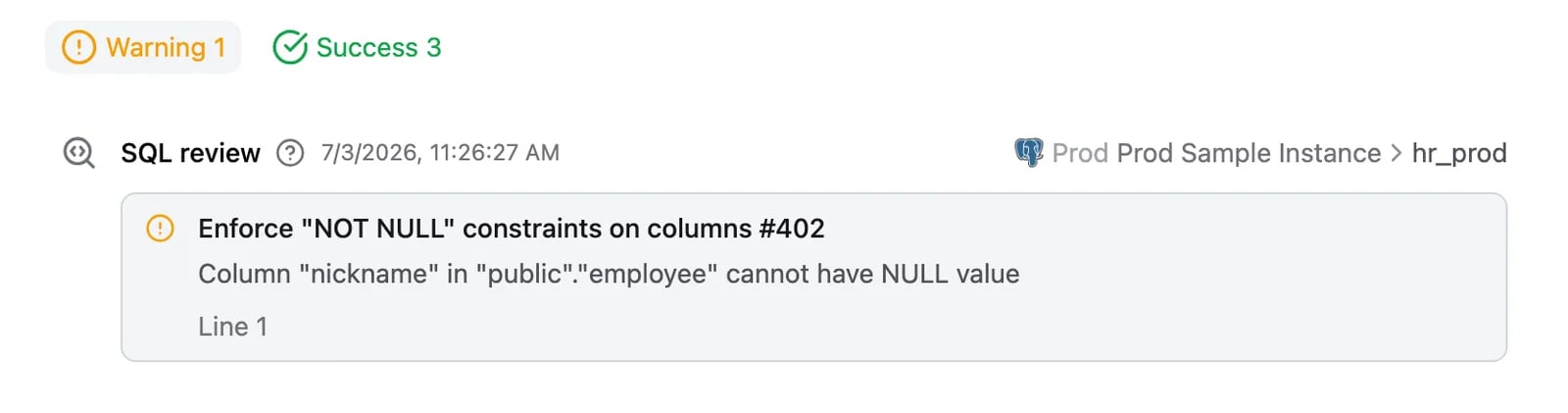 2. Fix any warnings and click **Ready for Review** to convert the plan into an issue and await approval.
## Approve (Enterprise)
1. Issue awaits approval per [configured rules](/change-database/approval). Approvers click **Approve**.
## Deploy
1. Click **Run** to deploy manually, or configure automatic rollout in environment settings.
2. Fix any warnings and click **Ready for Review** to convert the plan into an issue and await approval.
## Approve (Enterprise)
1. Issue awaits approval per [configured rules](/change-database/approval). Approvers click **Approve**.
## Deploy
1. Click **Run** to deploy manually, or configure automatic rollout in environment settings.
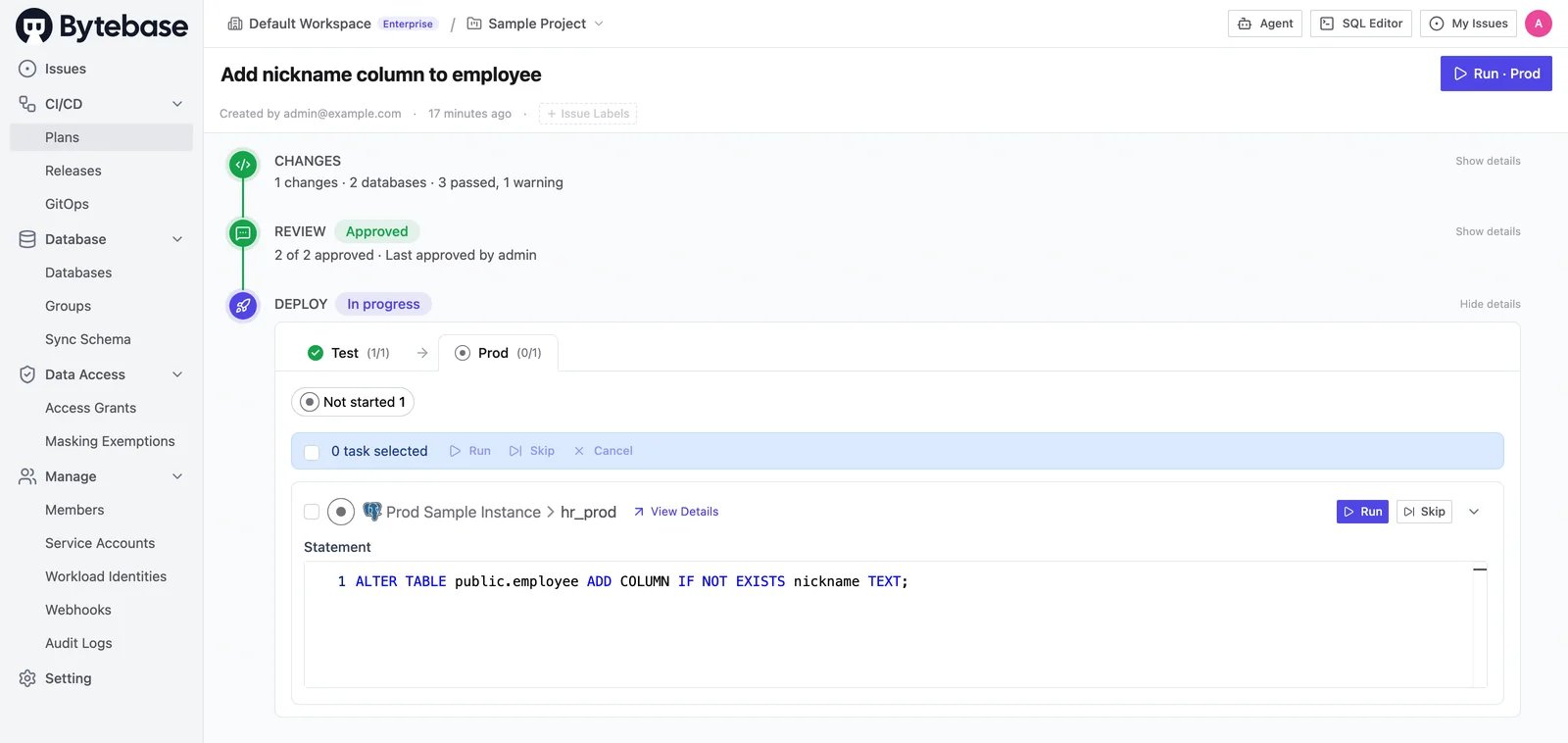 2. Issue marked `Done` when complete.
## Summary
Plan → Review → Approve → Rollout
2. Issue marked `Done` when complete.
## Summary
Plan → Review → Approve → Rollout
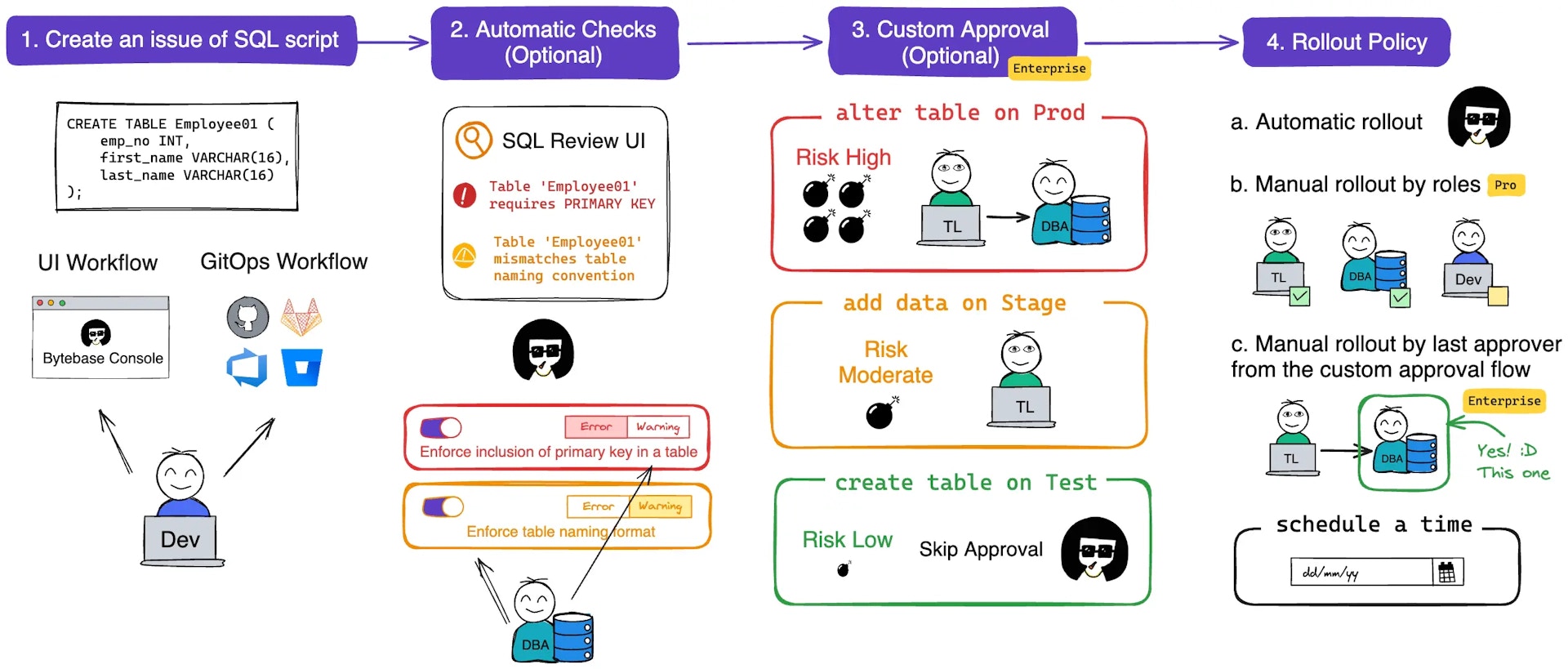 See [Database Change Workflow](/change-database/change-workflow/) for details.