> ## Documentation Index
> Fetch the complete documentation index at: https://docs.bytebase.com/llms.txt
> Use this file to discover all available pages before exploring further.
# Data Classification
Data classification allows you to classify columns and apply masking to those columns via the [Global Masking Rule](/security/data-masking/global-masking-rule). This allows you to manage masking policy for many columns by controlling only a small number of classifications.
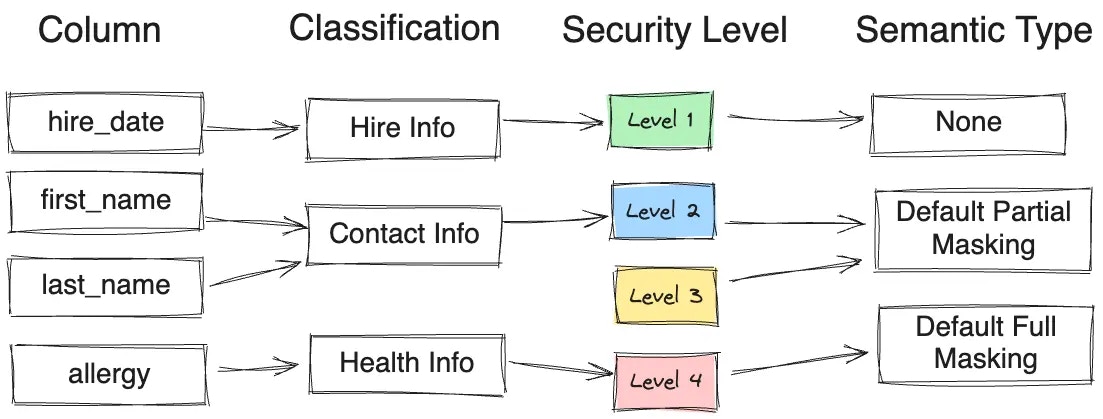 In the above example, column `first_name` and `last_name` will be applied `Default Partial Masking`, because:
* Column `first_name` and `last_name` are classified as `Contact Info`.
* `Contact Info` corresponds to `security level 2`.
* `Security level 2` applies semantic type `Default Partial Masking`.
## Step 1 - Define Classification
In the above example, column `first_name` and `last_name` will be applied `Default Partial Masking`, because:
* Column `first_name` and `last_name` are classified as `Contact Info`.
* `Contact Info` corresponds to `security level 2`.
* `Security level 2` applies semantic type `Default Partial Masking`.
## Step 1 - Define Classification
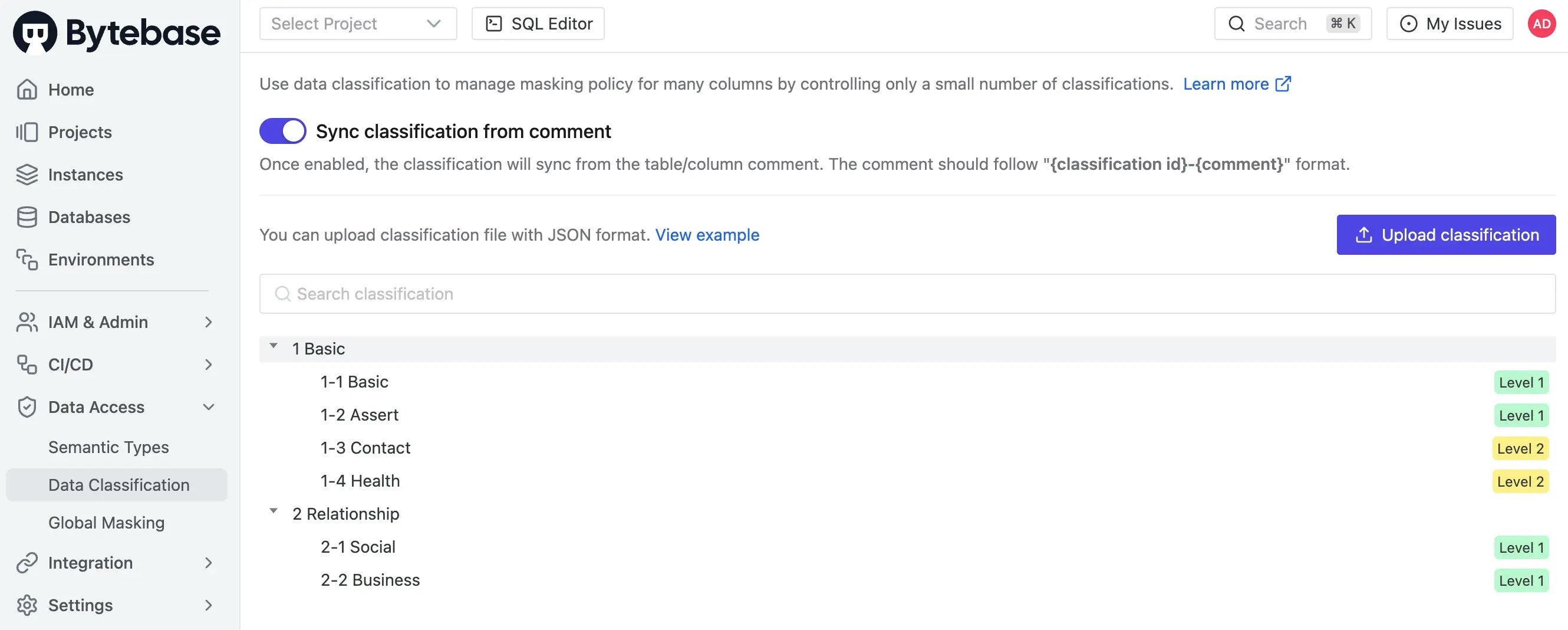 You upload a JSON file containing the classification definition. The definition contains 2 sections:
1. Security levels. Usually you define 3 \~ 5 levels.
2. Classes. You can define multi-level classes. You assign a security level to each leaf class.
### Simple Classification
This is a [simple classification](/content/docs/security/data-classification/classification-simple.json) showing the structure:
1. There are 2 security levels.
2. There are 2 top classes. Class 1 contains 4 sub-classes. Class 2 contains 2 sub-classes. Each subclass (leaf node) is assigned a security level.
```json theme={null}
{
"title": "Classification Example",
"levels": [
{
"id": "1",
"title": "Level 1",
"description": ""
},
{
"id": "2",
"title": "Level 2",
"description": ""
}
],
"classification": {
"1": {
"id": "1",
"title": "Basic",
"description": ""
},
"1-1": {
"id": "1-1",
"title": "Basic",
"description": "",
"levelId": "1"
},
"1-2": {
"id": "1-2",
"title": "Assert",
"description": "",
"levelId": "1"
},
"1-3": {
"id": "1-3",
"title": "Contact",
"description": "",
"levelId": "2"
},
"1-4": {
"id": "1-4",
"title": "Health",
"description": "",
"levelId": "2"
},
"2": {
"id": "2",
"title": "Relationship",
"description": ""
},
"2-1": {
"id": "2-1",
"title": "Social",
"description": "",
"levelId": "1"
},
"2-2": {
"id": "2-2",
"title": "Business",
"description": "",
"levelId": "1"
}
}
}
```
### Financial Industry Classification
A comprehensive data classification ([English](/content/docs/security/data-classification/classification-financial-industry-en.json), [Chinese](/content/docs/security/data-classification/classification-financial-industry-zh.json)) for the financial industry. It contains:
* 5 security levels.
* 14 top-categories.
* 300+ sub-categories.
## Step 2 - Configure Global Masking Policy
You upload a JSON file containing the classification definition. The definition contains 2 sections:
1. Security levels. Usually you define 3 \~ 5 levels.
2. Classes. You can define multi-level classes. You assign a security level to each leaf class.
### Simple Classification
This is a [simple classification](/content/docs/security/data-classification/classification-simple.json) showing the structure:
1. There are 2 security levels.
2. There are 2 top classes. Class 1 contains 4 sub-classes. Class 2 contains 2 sub-classes. Each subclass (leaf node) is assigned a security level.
```json theme={null}
{
"title": "Classification Example",
"levels": [
{
"id": "1",
"title": "Level 1",
"description": ""
},
{
"id": "2",
"title": "Level 2",
"description": ""
}
],
"classification": {
"1": {
"id": "1",
"title": "Basic",
"description": ""
},
"1-1": {
"id": "1-1",
"title": "Basic",
"description": "",
"levelId": "1"
},
"1-2": {
"id": "1-2",
"title": "Assert",
"description": "",
"levelId": "1"
},
"1-3": {
"id": "1-3",
"title": "Contact",
"description": "",
"levelId": "2"
},
"1-4": {
"id": "1-4",
"title": "Health",
"description": "",
"levelId": "2"
},
"2": {
"id": "2",
"title": "Relationship",
"description": ""
},
"2-1": {
"id": "2-1",
"title": "Social",
"description": "",
"levelId": "1"
},
"2-2": {
"id": "2-2",
"title": "Business",
"description": "",
"levelId": "1"
}
}
}
```
### Financial Industry Classification
A comprehensive data classification ([English](/content/docs/security/data-classification/classification-financial-industry-en.json), [Chinese](/content/docs/security/data-classification/classification-financial-industry-zh.json)) for the financial industry. It contains:
* 5 security levels.
* 14 top-categories.
* 300+ sub-categories.
## Step 2 - Configure Global Masking Policy
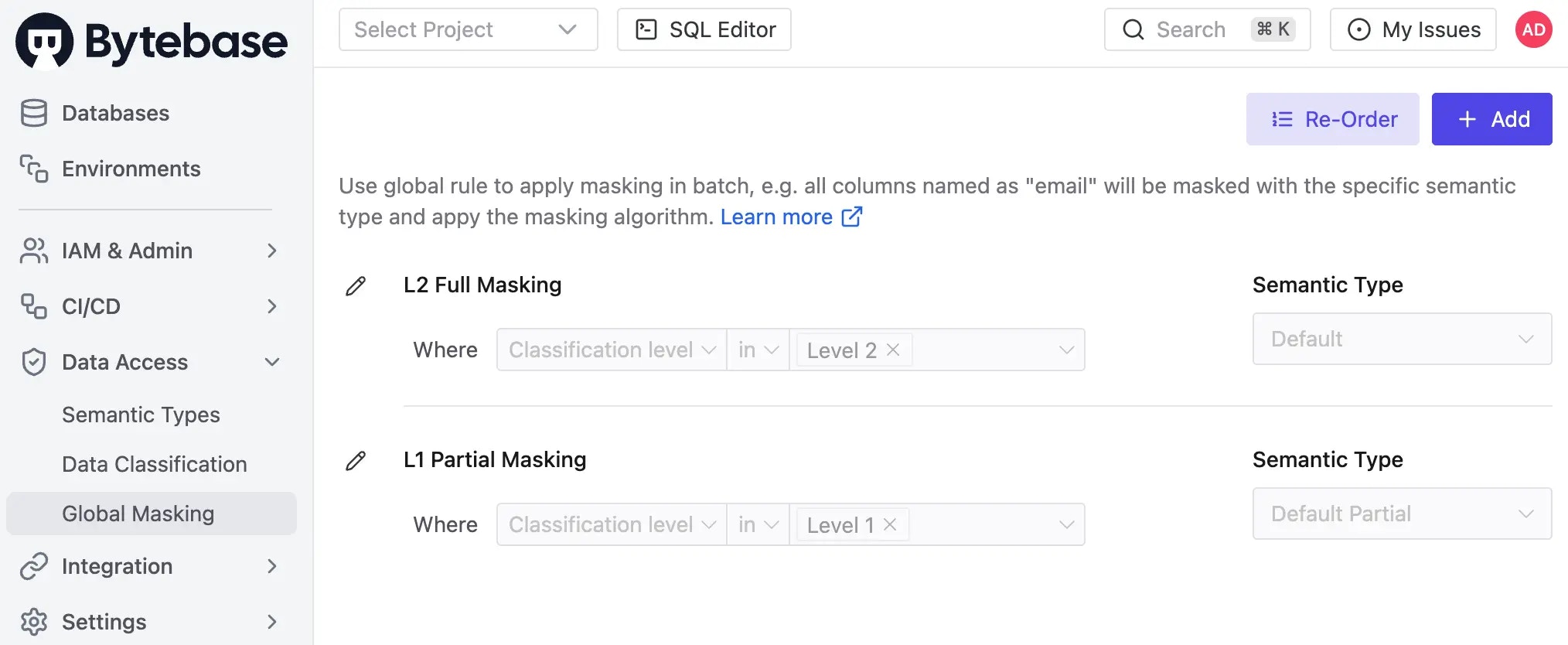 From the [Global Masking Policy](/security/data-masking/global-masking-rule), you can define the masking level for each classification level.
## Step 3 - Classify Column
### Manual Classification
If you turn off `Sync classification from comment`, then you can manually set the classification for each column.
From the [Global Masking Policy](/security/data-masking/global-masking-rule), you can define the masking level for each classification level.
## Step 3 - Classify Column
### Manual Classification
If you turn off `Sync classification from comment`, then you can manually set the classification for each column.
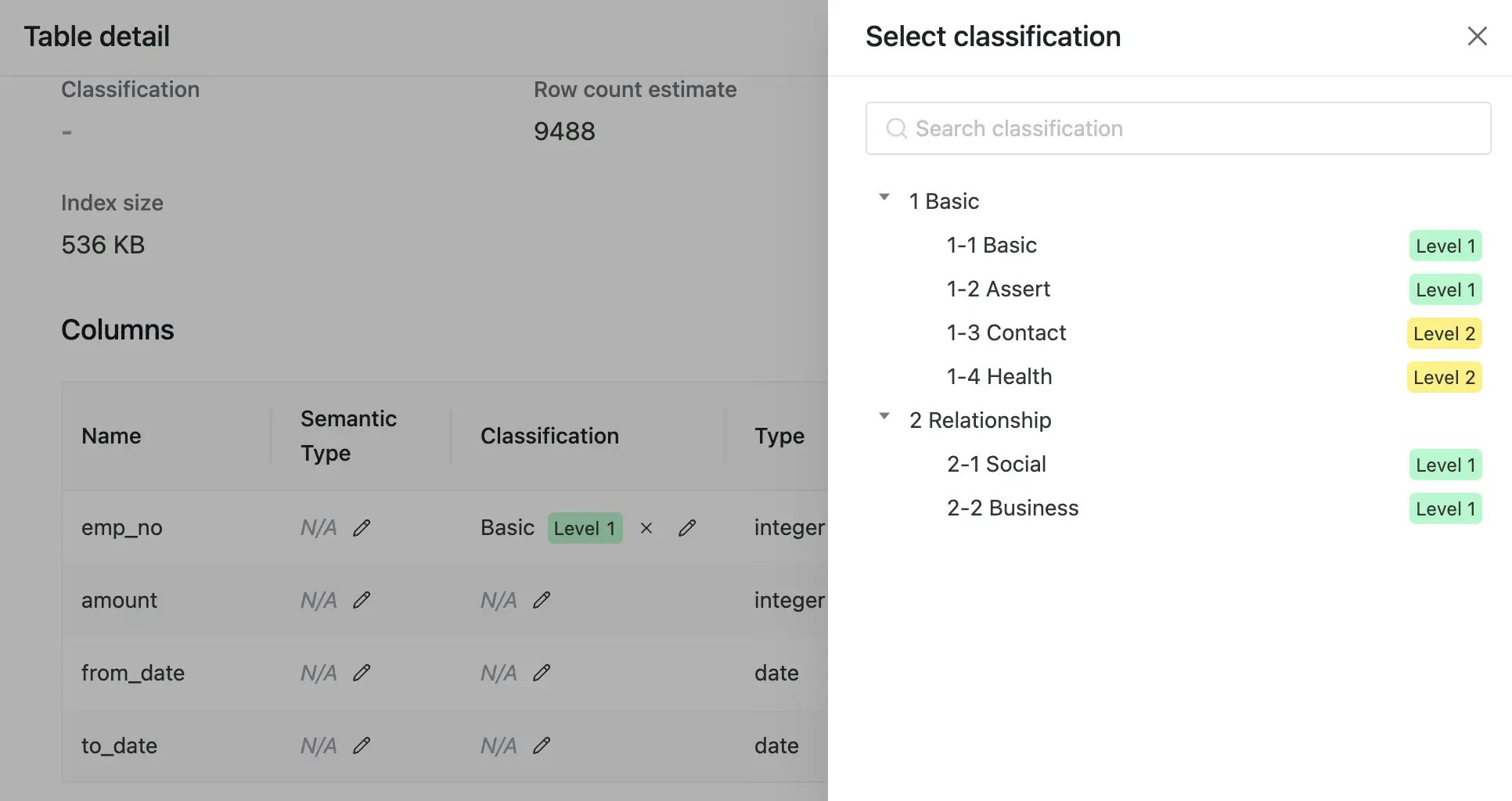 Go to the column definition and set the classification.
### Comment Classification
If you turn on `Sync classification from comment` (by default it's on), then the column classification is derived from the comment.
If the column format follows `{classification id}-{comment}` such as `1-4-2-blabla`, then Bytebase will extract
`1-4-2` as the classification id and assigns the column classification accordingly.
## API Integration
Check [API](/integrations/api/data-classification/).
Go to the column definition and set the classification.
### Comment Classification
If you turn on `Sync classification from comment` (by default it's on), then the column classification is derived from the comment.
If the column format follows `{classification id}-{comment}` such as `1-4-2-blabla`, then Bytebase will extract
`1-4-2` as the classification id and assigns the column classification accordingly.
## API Integration
Check [API](/integrations/api/data-classification/).