> ## Documentation Index
> Fetch the complete documentation index at: https://docs.bytebase.com/llms.txt
> Use this file to discover all available pages before exploring further.
# Semantic Types
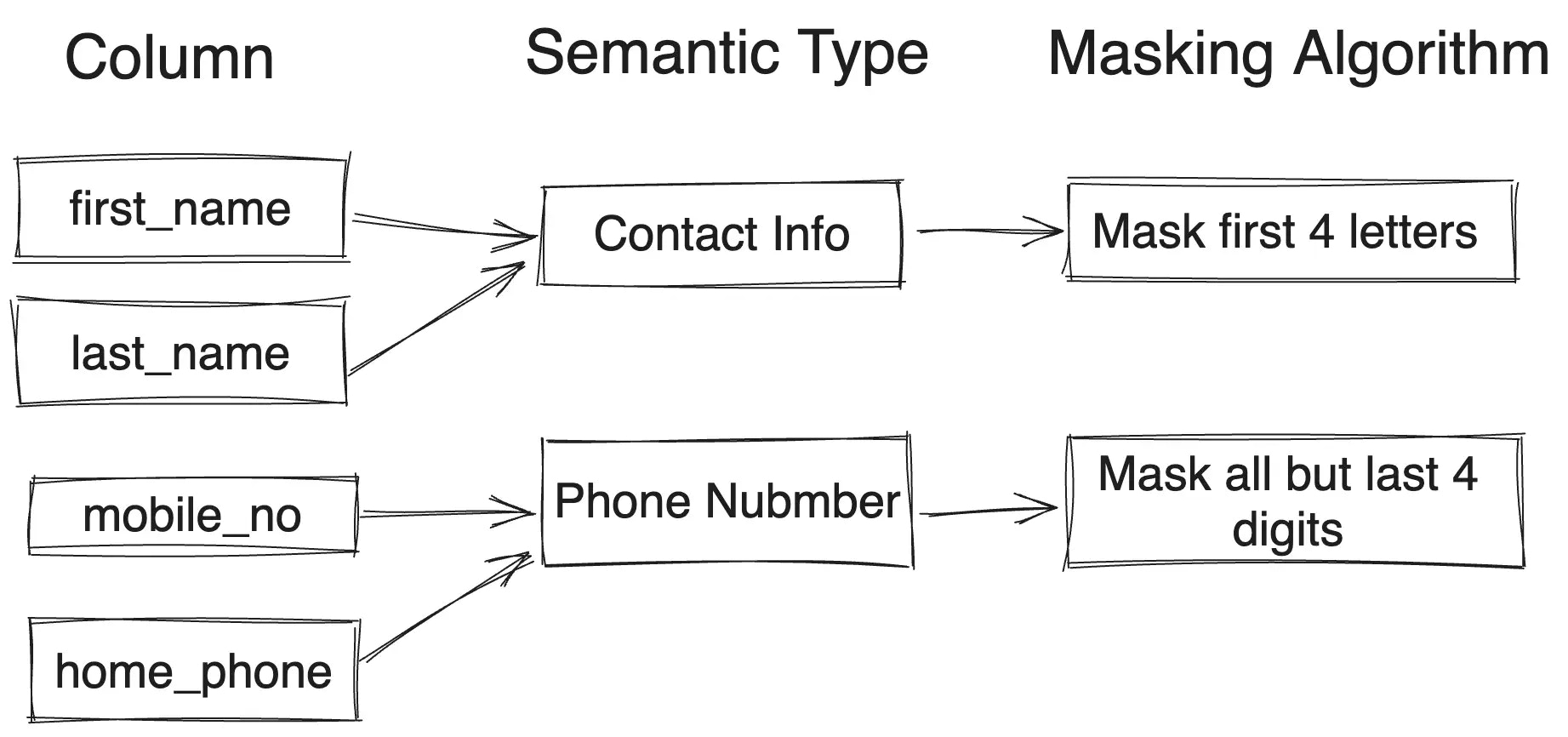 You may define semantic types and apply them to columns of different tables. Columns with the same semantic type will be masked with the same masking algorithm. This allows you to manage masking algorithms for many columns by controlling only a small number of semantic types.
1. Go to **Data Access** > **Semantic Types**. You'll see the default semantic type `Default` and `Default Partial`.
2. Click **Add**, and fill in the name and description.
You may define semantic types and apply them to columns of different tables. Columns with the same semantic type will be masked with the same masking algorithm. This allows you to manage masking algorithms for many columns by controlling only a small number of semantic types.
1. Go to **Data Access** > **Semantic Types**. You'll see the default semantic type `Default` and `Default Partial`.
2. Click **Add**, and fill in the name and description.
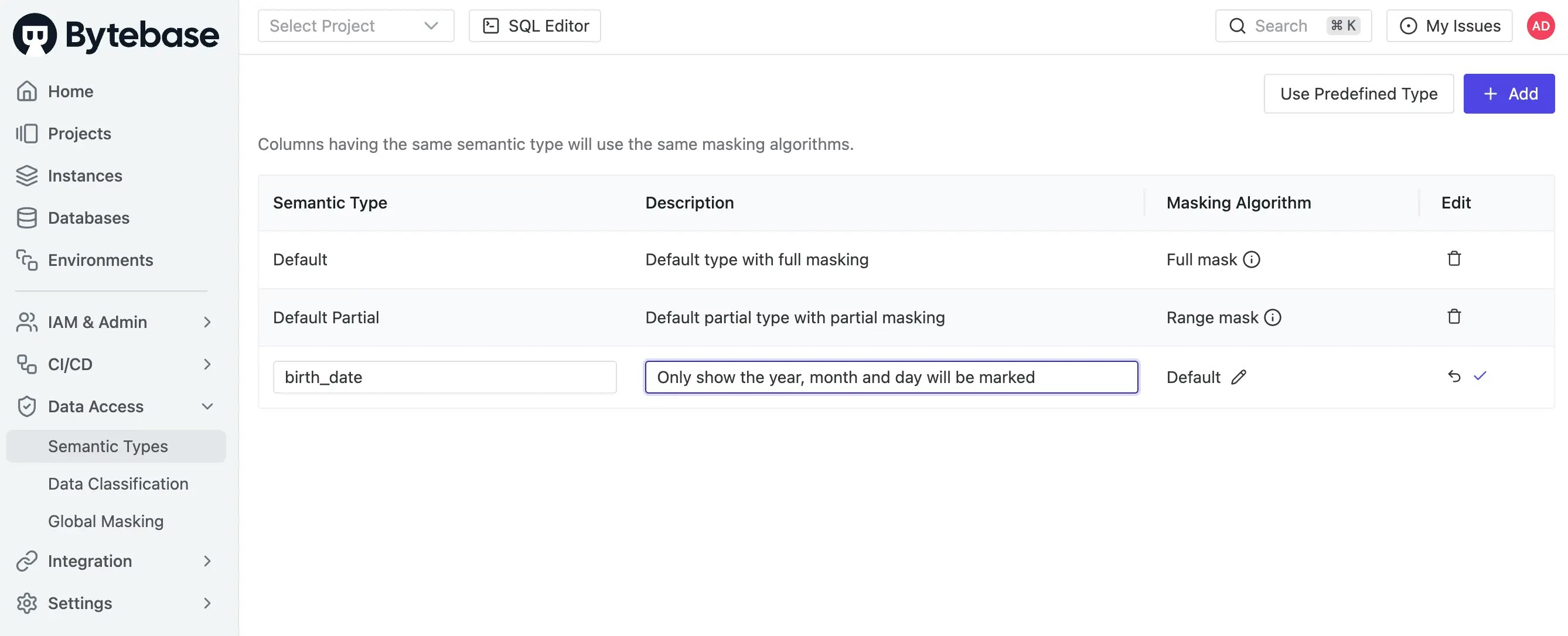 3. Click the pencil under **Masking Algorithm** column to attach a masking algorithm. Click the checkmark to save.
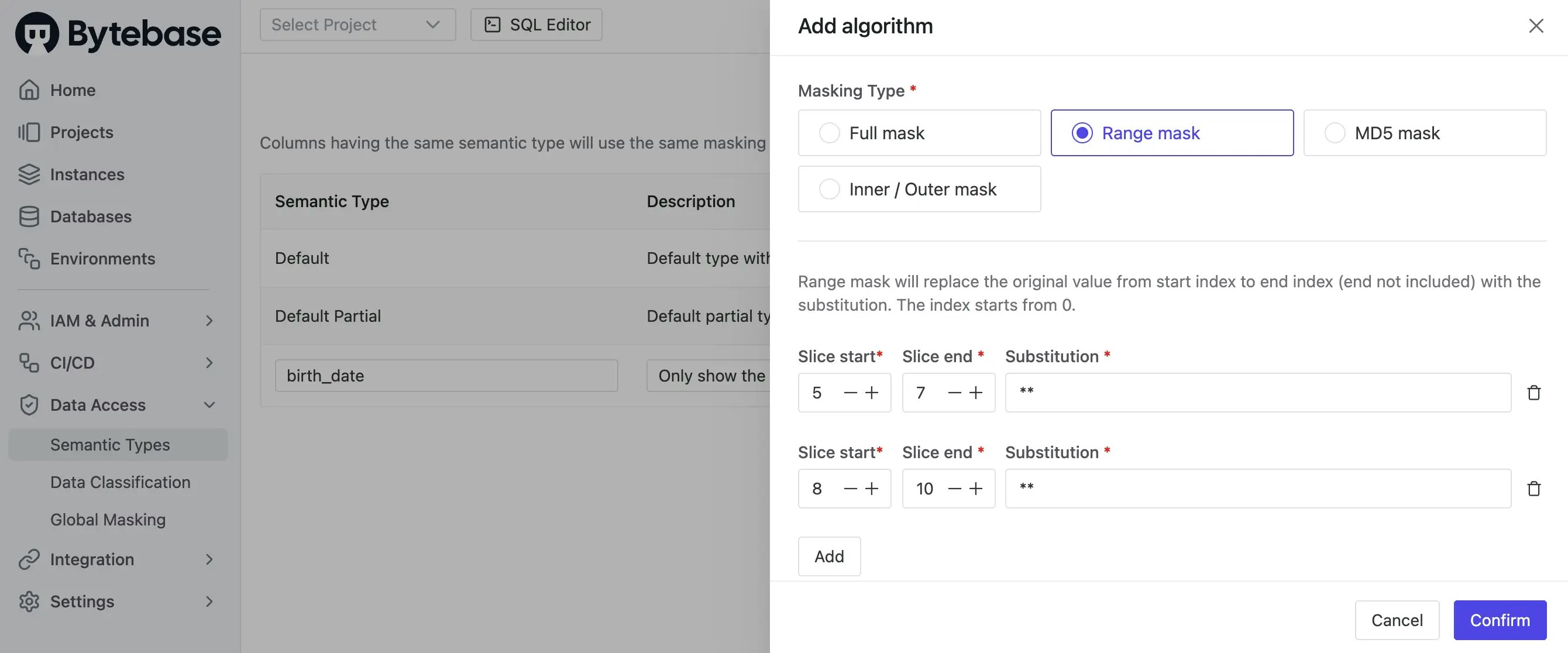 *Check [Masking Algorithm](/security/data-masking/masking-algorithm) for more details.*
4. You may add other semantic types as needed.
*Check [Masking Algorithm](/security/data-masking/masking-algorithm) for more details.*
4. You may add other semantic types as needed.
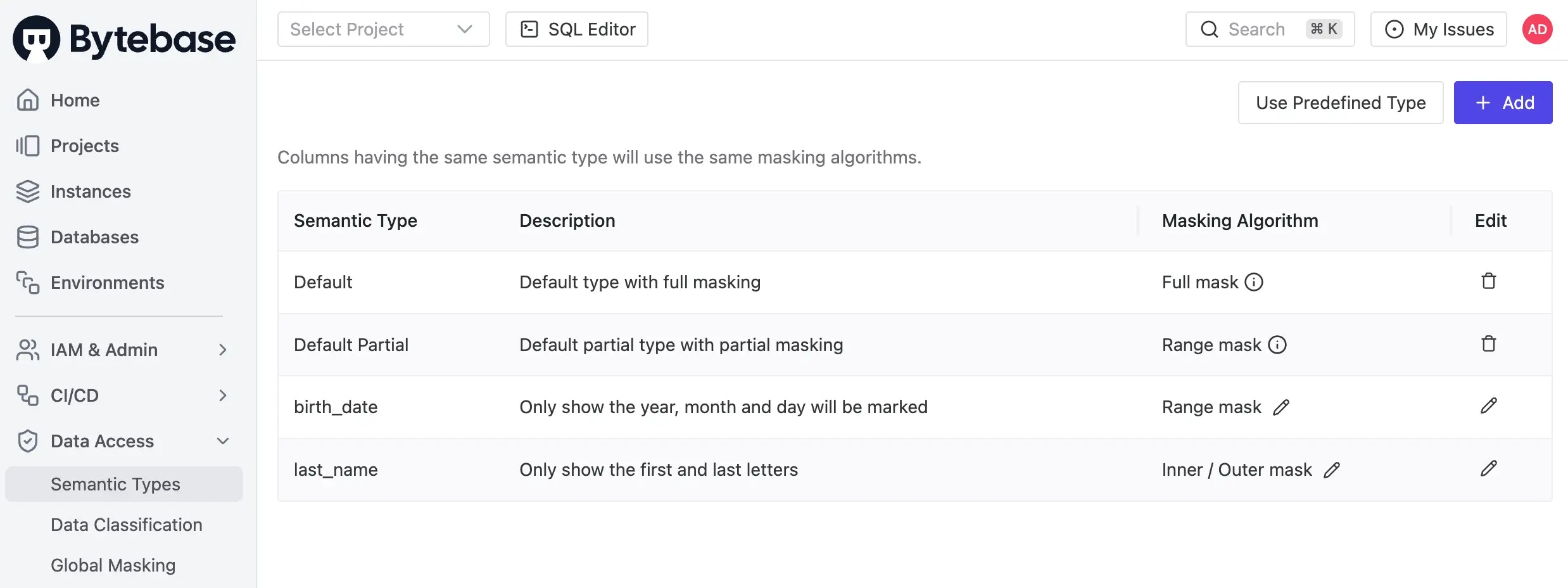 There're two ways to apply this semantic type to take effect:
* [Global Masking](/security/data-masking/global-masking-rule)
* [Column Masking](/security/data-masking/column-masking)
There're two ways to apply this semantic type to take effect:
* [Global Masking](/security/data-masking/global-masking-rule)
* [Column Masking](/security/data-masking/column-masking)