> ## Documentation Index
> Fetch the complete documentation index at: https://docs.bytebase.com/llms.txt
> Use this file to discover all available pages before exploring further.
# Query
By default, SQL Editor allows executing both read (SELECT) and write (DDL/DML) SQL statements.
You can restrict SQL Editor to read-only mode by configuring [Statement Execution Mode](/change-database/environment-policy/overview#statement-execution-mode). In read-only mode, if you attempt to run DDL or DML change queries, SQL Editor will prompt you to create a new issue to start the [SQL change workflow](/change-database/change-workflow).
Workspace Admins and DBAs can always execute any SQL statements in [Admin Mode](/sql-editor/admin-mode).
## Autocomplete
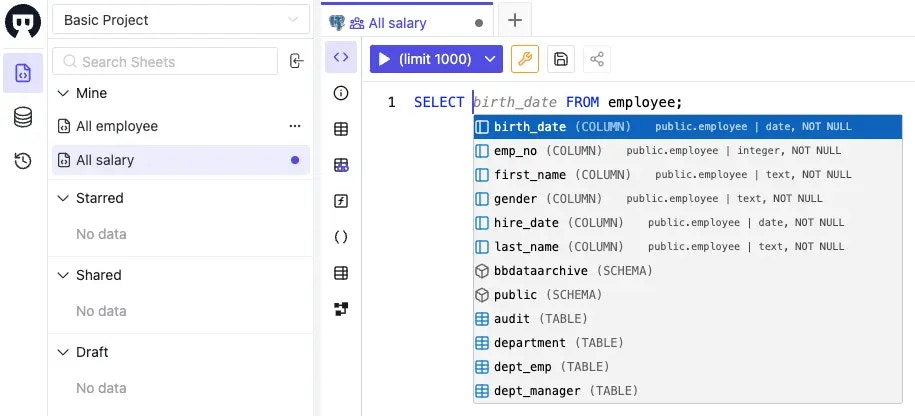 Autocomplete depends on WebSocket. If you access Bytebase via a gateway, you need to enable WebSocket there. Here is a NGINX configuration:
```nginx theme={null}
http {
server {
...
location ~ ^/(v1:adminExecute|lsp) {
proxy_pass http://bytebase.example.com;
proxy_http_version 1.1;
# Enables WebSocket which is required for SQL Editor autocomplete
proxy_set_header Upgrade $http_upgrade;
proxy_set_header Connection $connection_upgrade;
}
...
}
}
```
## Run query
Click the `Run` button or use the shortcut key `(⌘ + Enter)` to run your queries in the SQL Editor.
If you have multiple SQL queries separated by semicolons, SQL Editor will only run the first query for now.
### Max returned row count
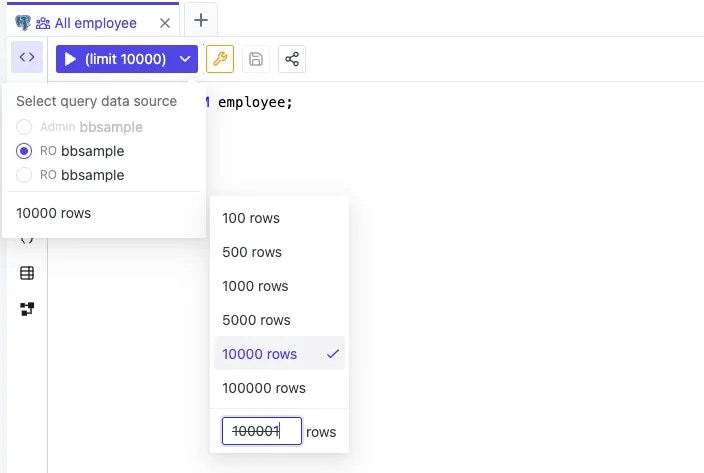
SQL Editor can return at most **100,000 rows**.
Autocomplete depends on WebSocket. If you access Bytebase via a gateway, you need to enable WebSocket there. Here is a NGINX configuration:
```nginx theme={null}
http {
server {
...
location ~ ^/(v1:adminExecute|lsp) {
proxy_pass http://bytebase.example.com;
proxy_http_version 1.1;
# Enables WebSocket which is required for SQL Editor autocomplete
proxy_set_header Upgrade $http_upgrade;
proxy_set_header Connection $connection_upgrade;
}
...
}
}
```
## Run query
Click the `Run` button or use the shortcut key `(⌘ + Enter)` to run your queries in the SQL Editor.
If you have multiple SQL queries separated by semicolons, SQL Editor will only run the first query for now.
### Max returned row count
SQL Editor can return at most **100,000 rows**.
 ### Max returned result size
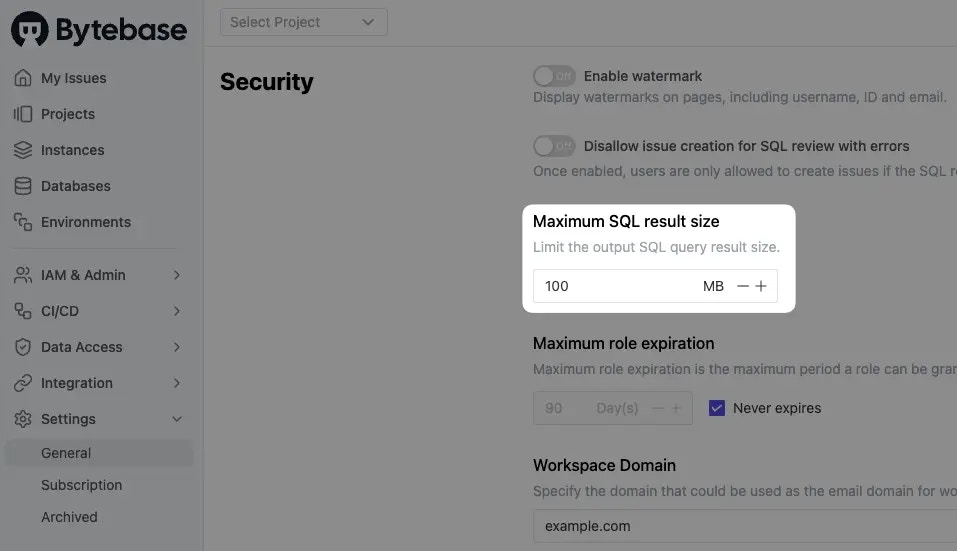
The default query result size is **100 MB**. You can change it under the Workspace settings.
### Max returned result size
The default query result size is **100 MB**. You can change it under the Workspace settings.
 ## Export data
**Export re-runs your SQL statement against the database** — it does not download the result set currently displayed in the tab. If the underlying data changed between the time you ran the query and the time you clicked **Export**, the exported rows will reflect the later state. To capture a specific point-in-time result set, copy the rows from the result panel or re-run the query immediately before exporting.
The re-execution goes through the same row limit, data-source selection, and [masking policy](/sql-editor/mask-data) as the original query, so exported columns are masked if the policy is enforced.
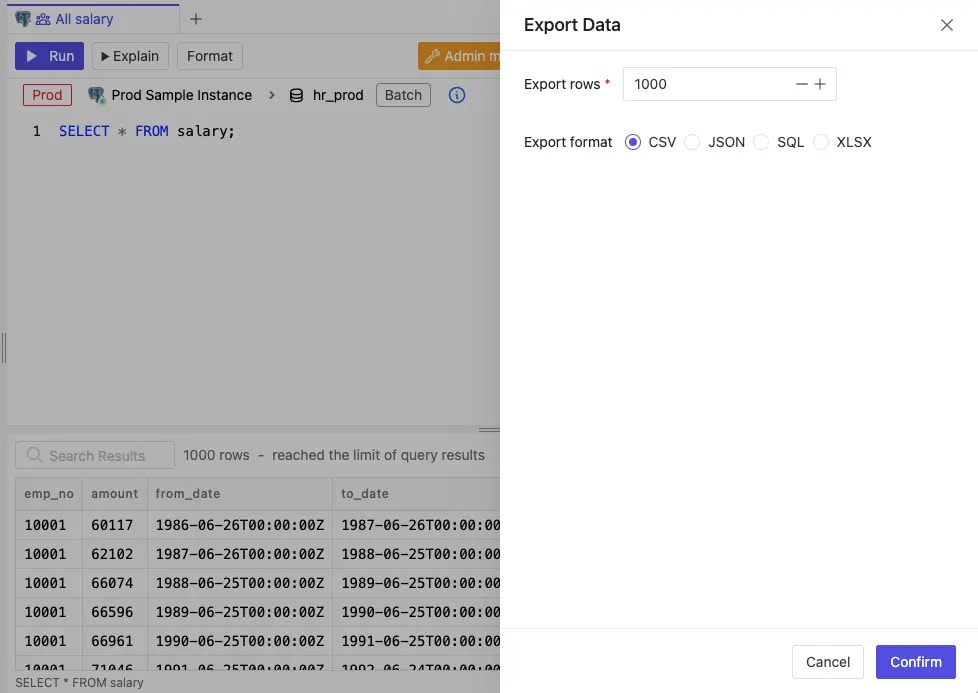
If you have been granted export access, you can directly export query results in various formats.
## Export data
**Export re-runs your SQL statement against the database** — it does not download the result set currently displayed in the tab. If the underlying data changed between the time you ran the query and the time you clicked **Export**, the exported rows will reflect the later state. To capture a specific point-in-time result set, copy the rows from the result panel or re-run the query immediately before exporting.
The re-execution goes through the same row limit, data-source selection, and [masking policy](/sql-editor/mask-data) as the original query, so exported columns are masked if the policy is enforced.
If you have been granted export access, you can directly export query results in various formats.
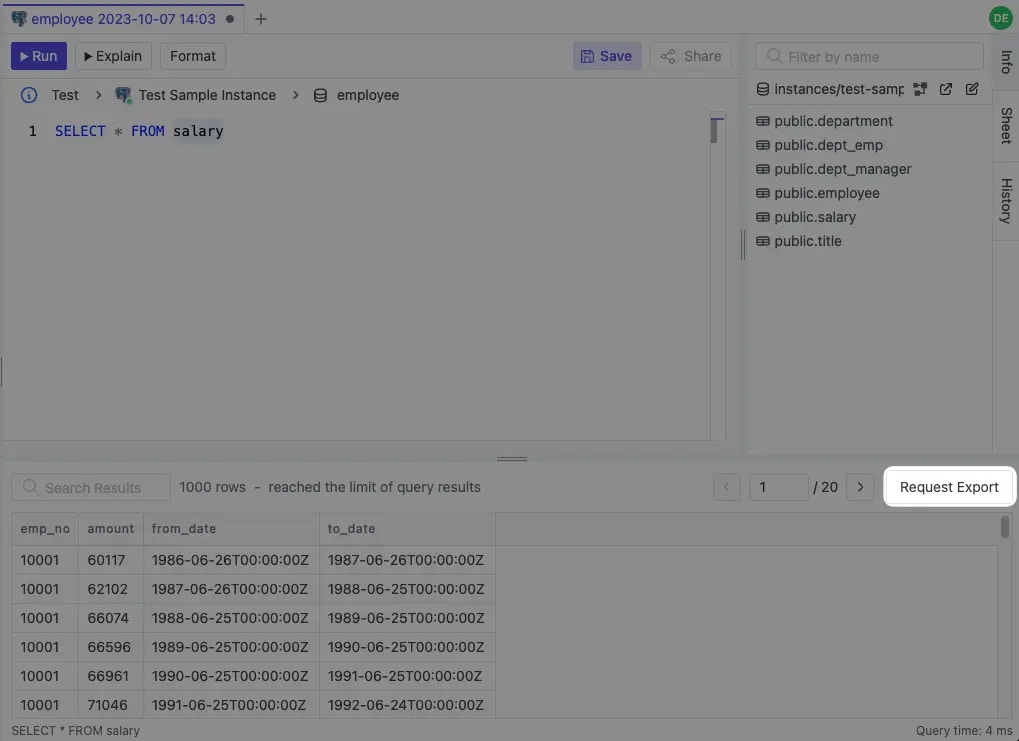
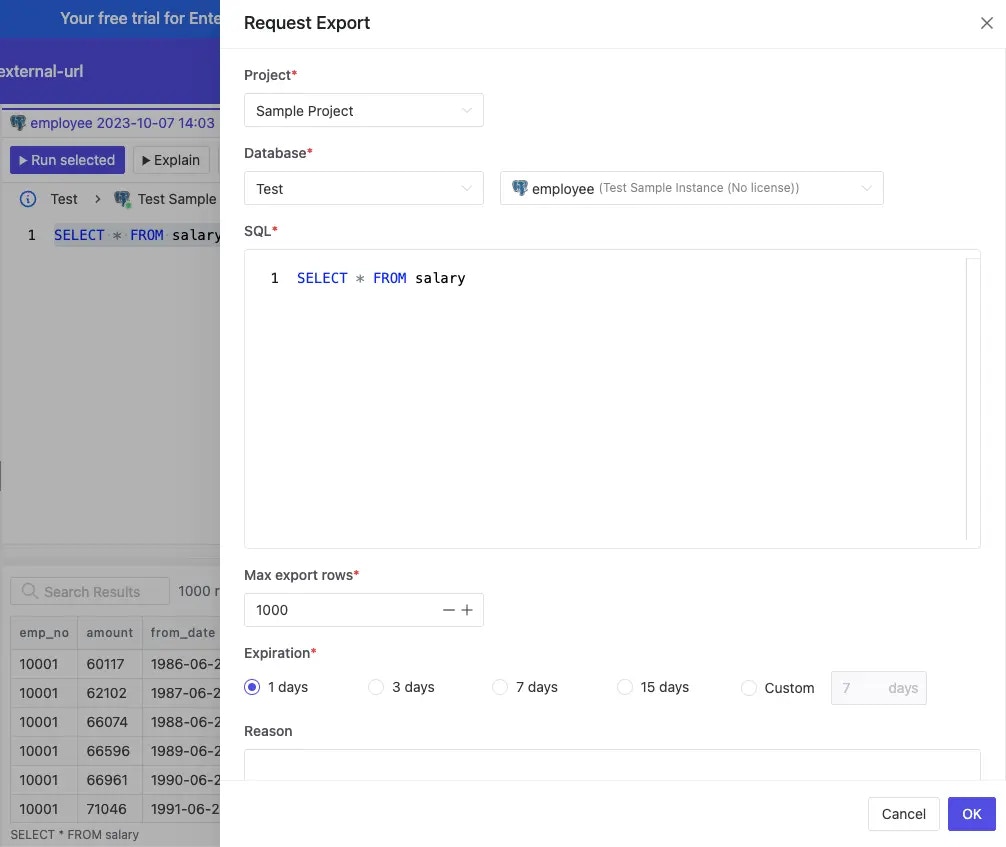
 Otherwise, you can request the exported data
 ## EXPLAIN query
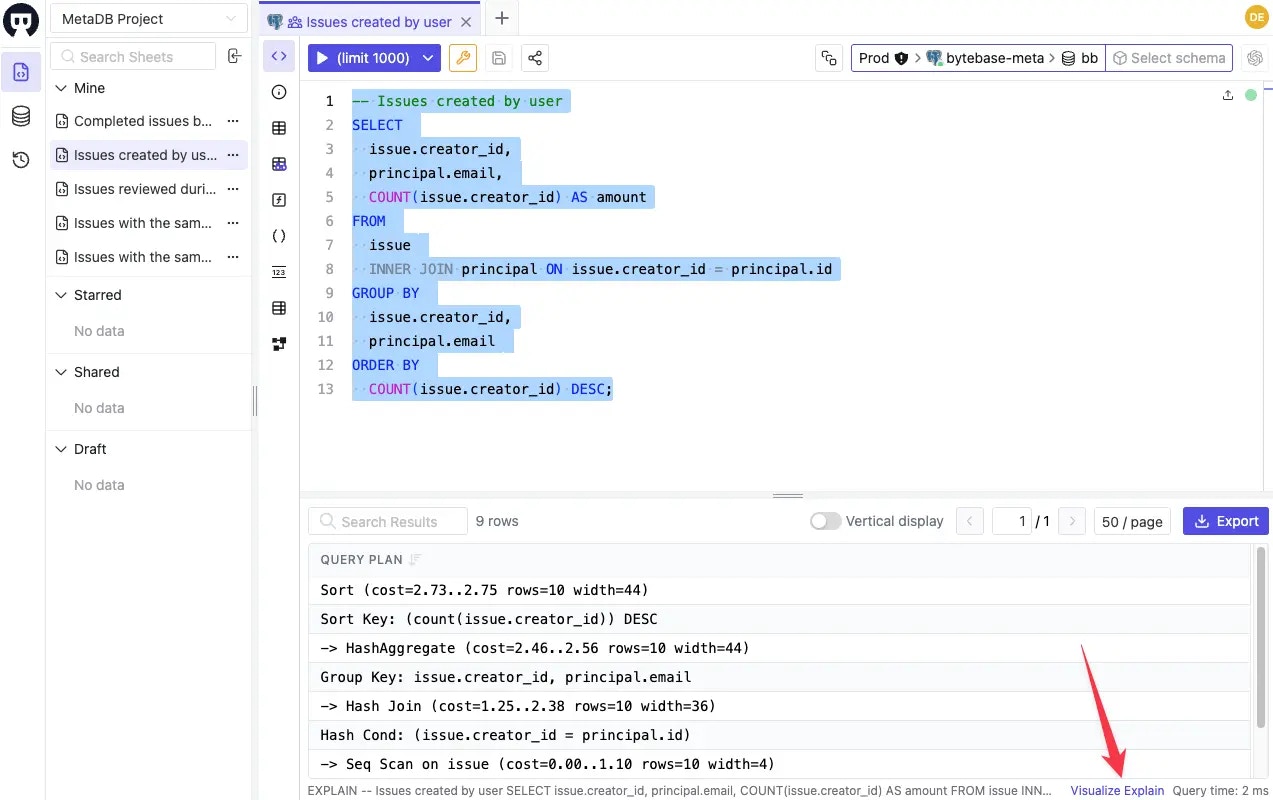
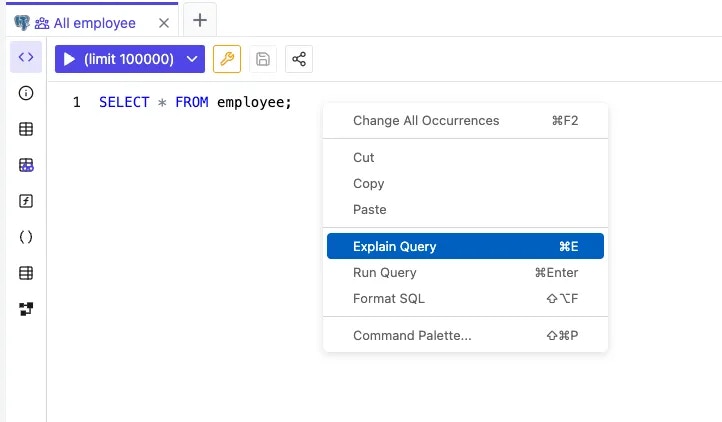 SQL Editor provides an `Explain Query` action to run EXPLAIN on the selected query. You can access it from right click or use the shortcut key `(⌘ + E)` instead of prepending EXPLAIN manually.
Bytebase provides visual plan representations for different databases:
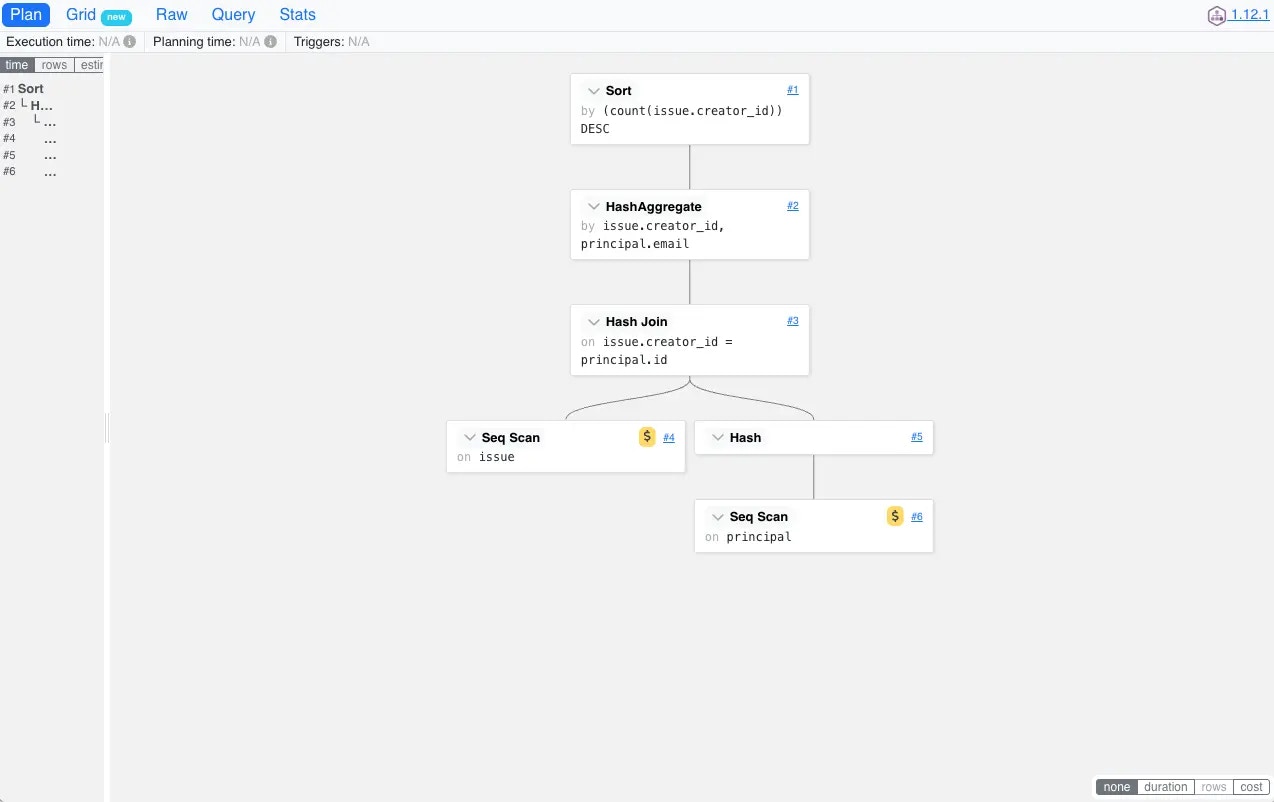
* **PostgreSQL**: Embeds [PEV2](https://github.com/dalibo/pev2) to visualize the execution plan
SQL Editor provides an `Explain Query` action to run EXPLAIN on the selected query. You can access it from right click or use the shortcut key `(⌘ + E)` instead of prepending EXPLAIN manually.
Bytebase provides visual plan representations for different databases:
* **PostgreSQL**: Embeds [PEV2](https://github.com/dalibo/pev2) to visualize the execution plan
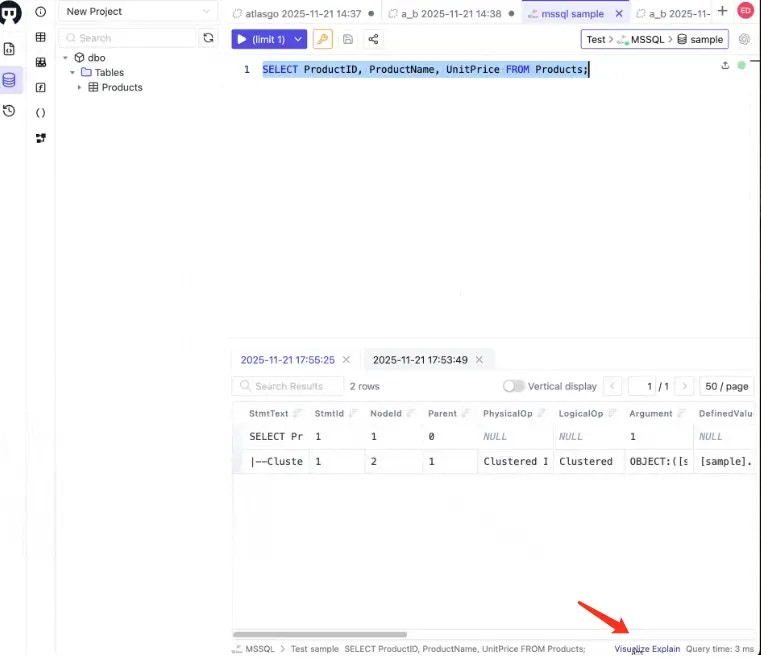
 * **SQL Server**: Provides native graphical execution plan visualization
 ## Batch mode
You can batch query many databases having the same schema:
## Batch mode
You can batch query many databases having the same schema:
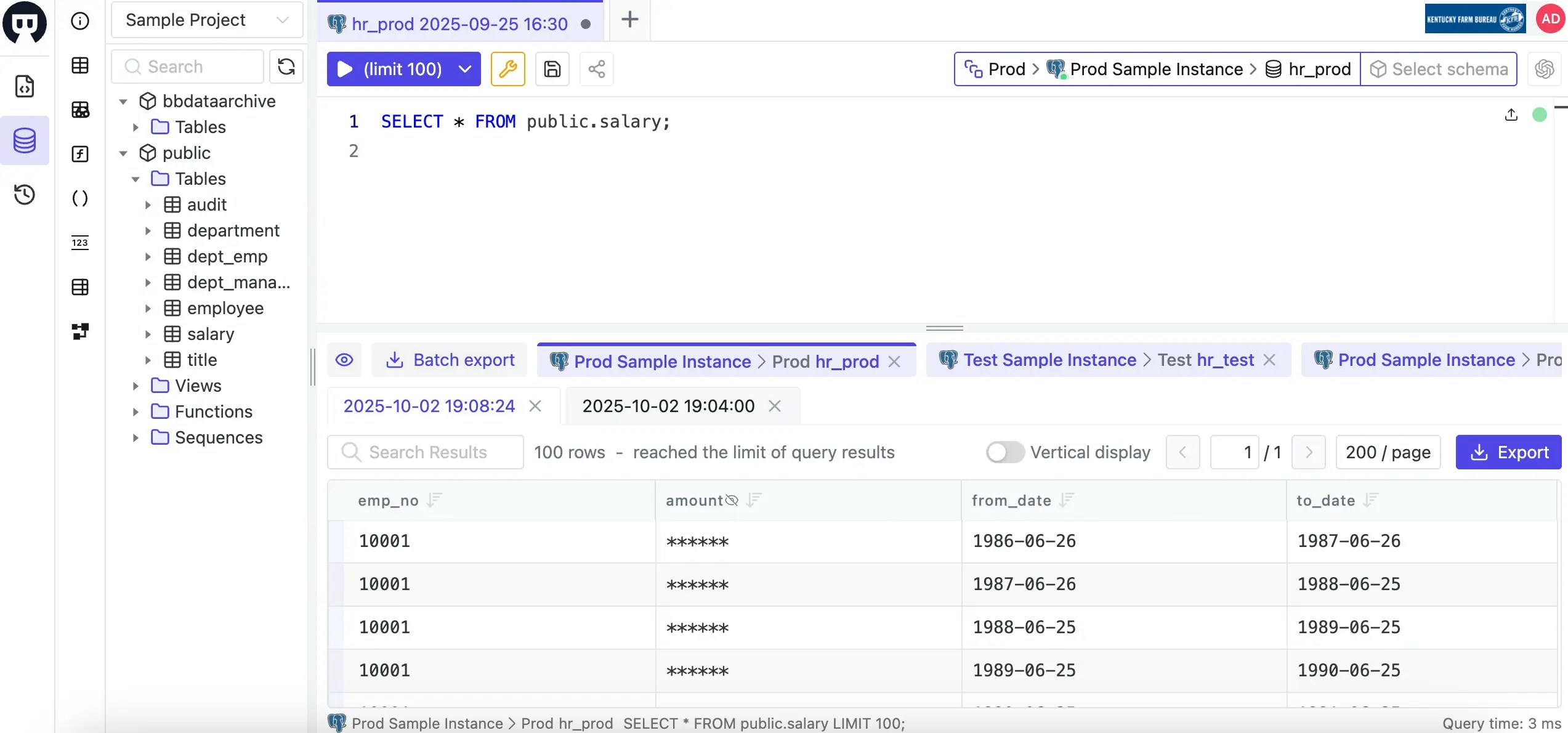
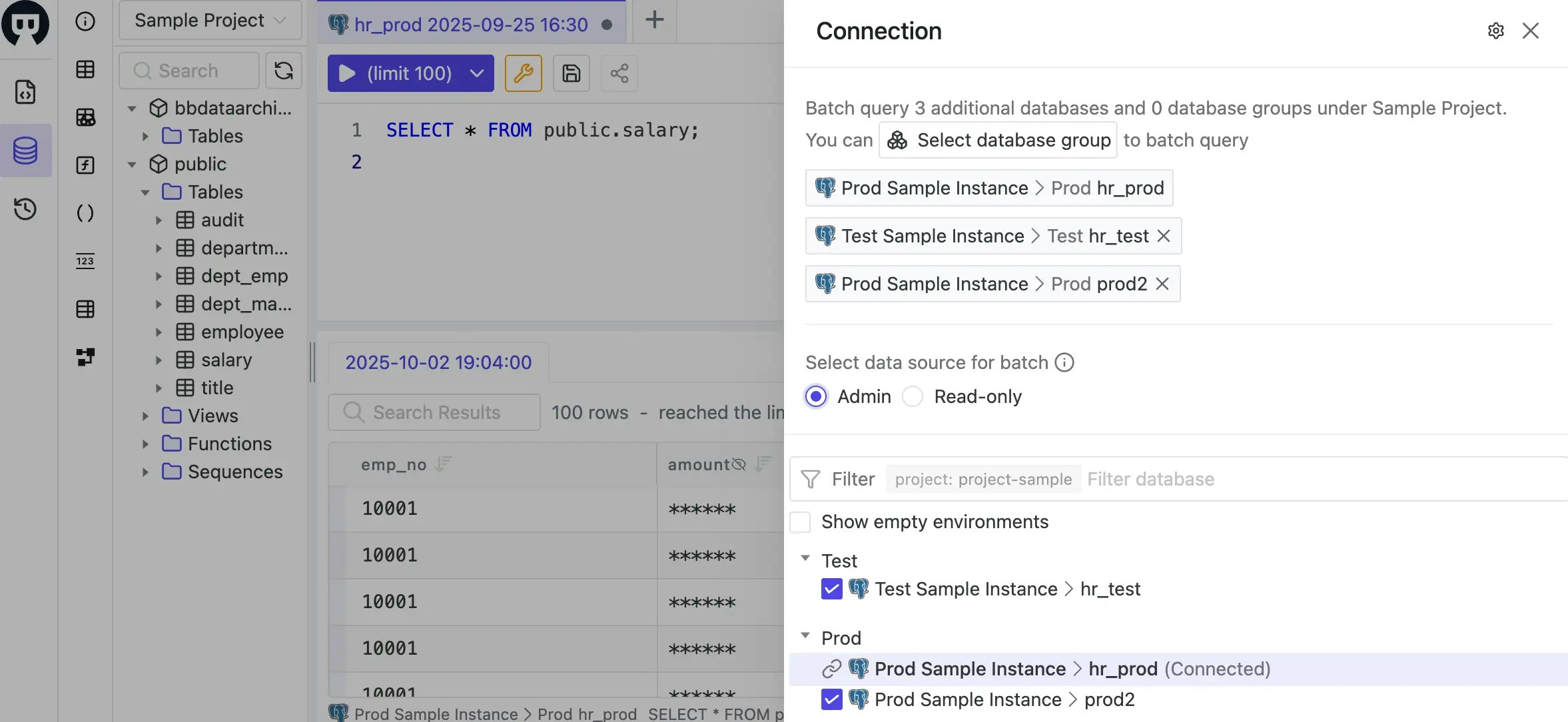 For each database, the query result will show up in its own tab: