> ## Documentation Index
> Fetch the complete documentation index at: https://docs.bytebase.com/llms.txt
> Use this file to discover all available pages before exploring further.
# How to Manage Roles
> Assign a manager role who can only deploy issue but not query or change database.
A typical requirement is to create a `Manager` role in Bytebase who can only deploy issue but not query or change database. This tutorial will show you how to achieve this with two approaches:
* Using a system predefined role
* Creating a custom role
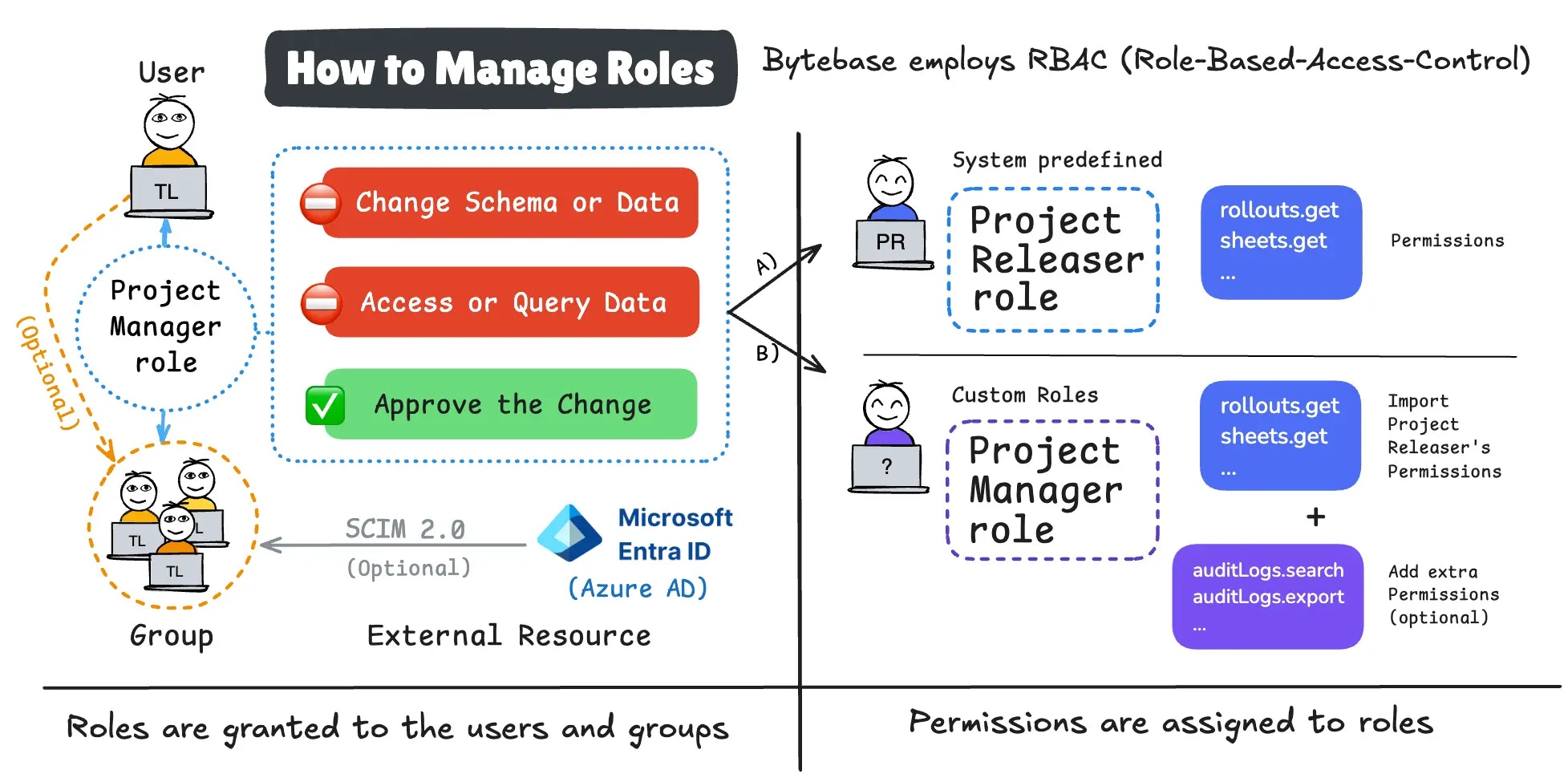 ## Approach 1: Using a System Predefined Role
1. Log in Bytebase, go to **IAM & Admin > Custom Roles**. You'll see that besides three **Workspace** level roles: **Admin/DBA/Member**; at **Project** level, Bytebase also predefined several system roles:
* **Project Owner**: All permissions within the project
* **Project Developer**: All viewer permissions, plus permissions for requesting database changes.
* **SQL Editor User**: Permissions for querying database data.
* **Project Releaser**: All viewer permissions, plus permission for reviewing database change requests for release purposes.
* **Project Viewer**: Read-only permissions for viewing basic project information, accessing databases, and initiating privilege requests.
## Approach 1: Using a System Predefined Role
1. Log in Bytebase, go to **IAM & Admin > Custom Roles**. You'll see that besides three **Workspace** level roles: **Admin/DBA/Member**; at **Project** level, Bytebase also predefined several system roles:
* **Project Owner**: All permissions within the project
* **Project Developer**: All viewer permissions, plus permissions for requesting database changes.
* **SQL Editor User**: Permissions for querying database data.
* **Project Releaser**: All viewer permissions, plus permission for reviewing database change requests for release purposes.
* **Project Viewer**: Read-only permissions for viewing basic project information, accessing databases, and initiating privilege requests.
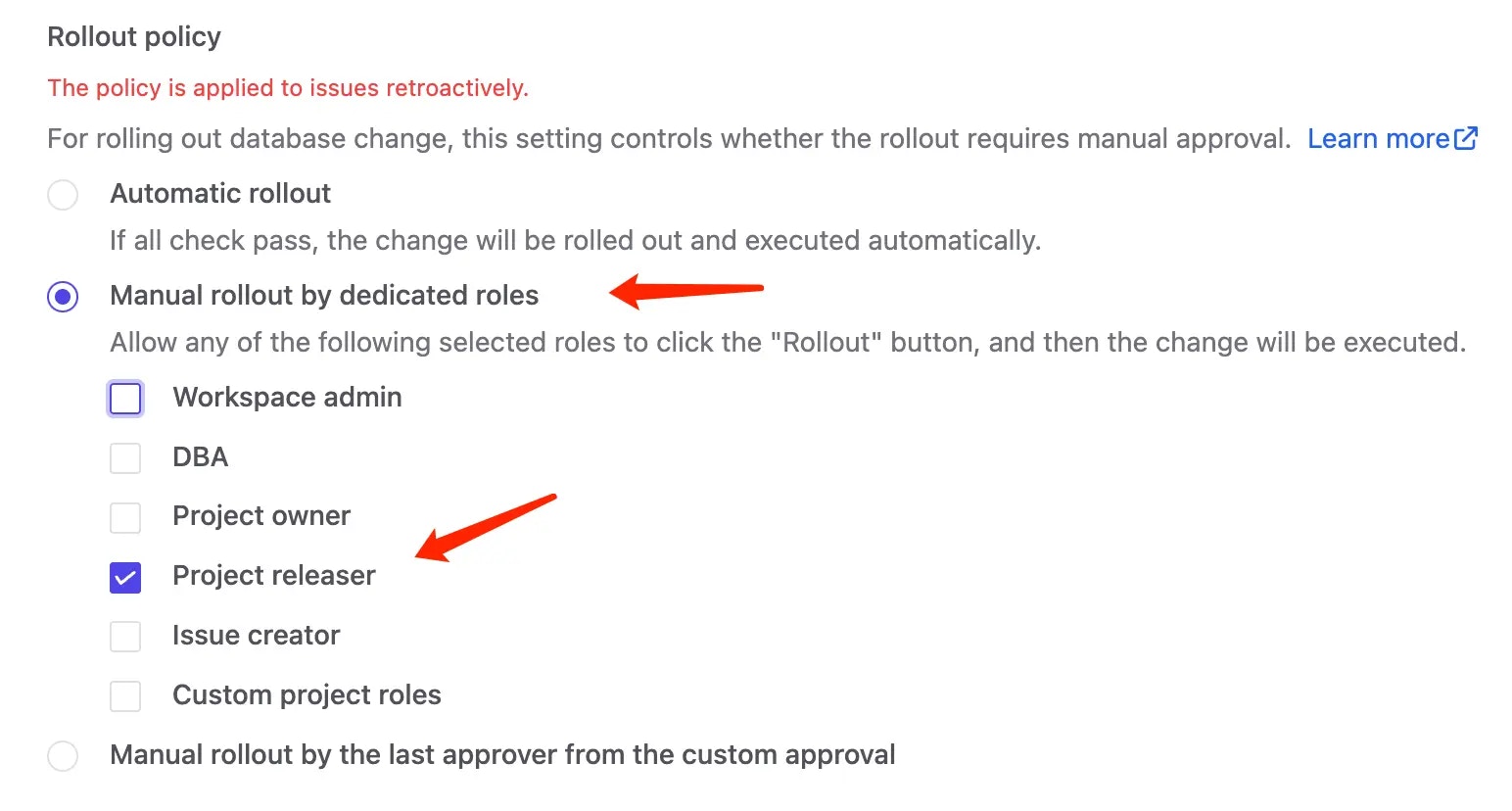
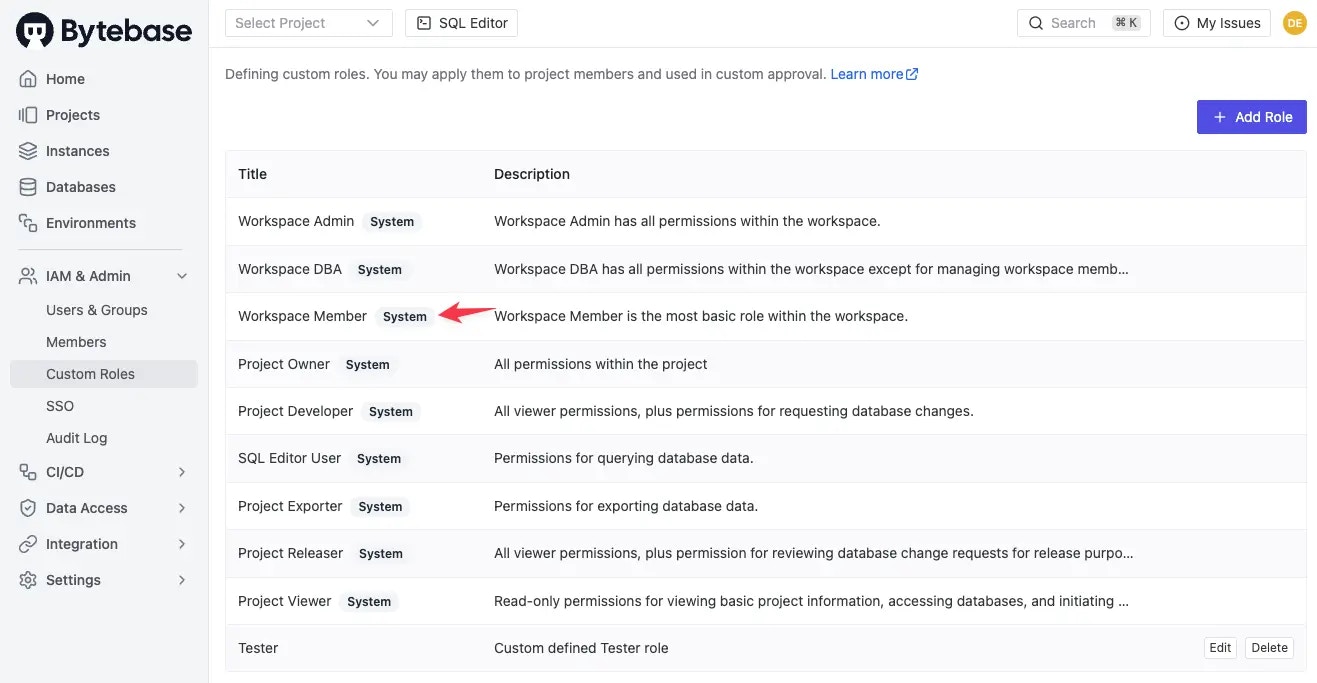 2. You may find the `Project Releaser` is the role our customer wants to create. So the easiest way is to use this role directly along with another step config: Go to **Environments**, select the environment and go to **Rollout Policy** section. Check **Manual rollout by dedicated roles** and `Project releaser`. For Manual rollout, you need to have **Pro or Enterprise Plan** licenses.
 3. Now, the role is ready. There are two ways to assign this role to our manager.
### Assign role at the Workspace level
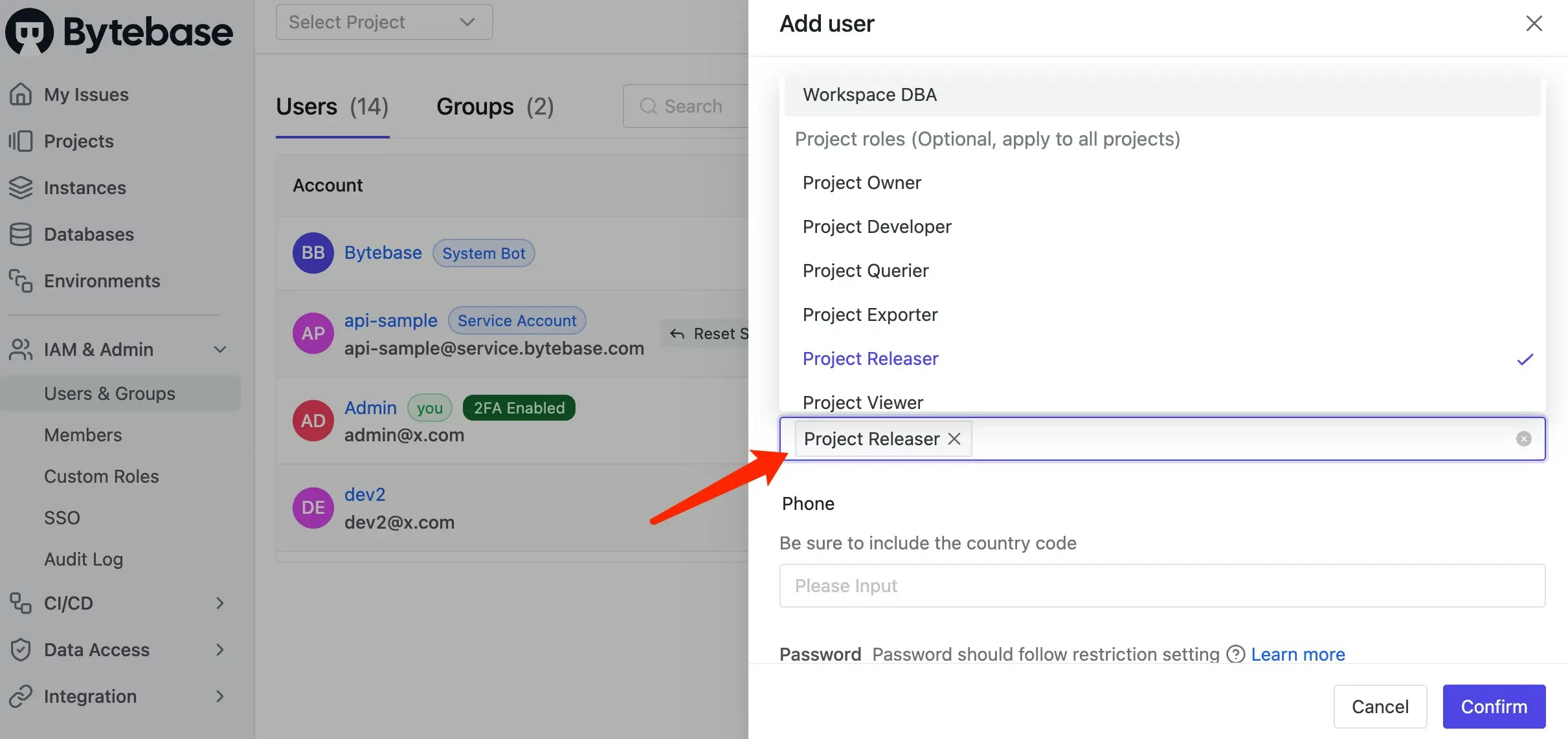
You can assign the `Project Releaser` role to the manager at the **Workspace** level. Then the manager will
obtain the `Project Releaser` role for all projects.
#### Create user
Create the user if not added yet. Go to **IAM & Admin > Users & Groups**, click **Add User**.
3. Now, the role is ready. There are two ways to assign this role to our manager.
### Assign role at the Workspace level
You can assign the `Project Releaser` role to the manager at the **Workspace** level. Then the manager will
obtain the `Project Releaser` role for all projects.
#### Create user
Create the user if not added yet. Go to **IAM & Admin > Users & Groups**, click **Add User**.
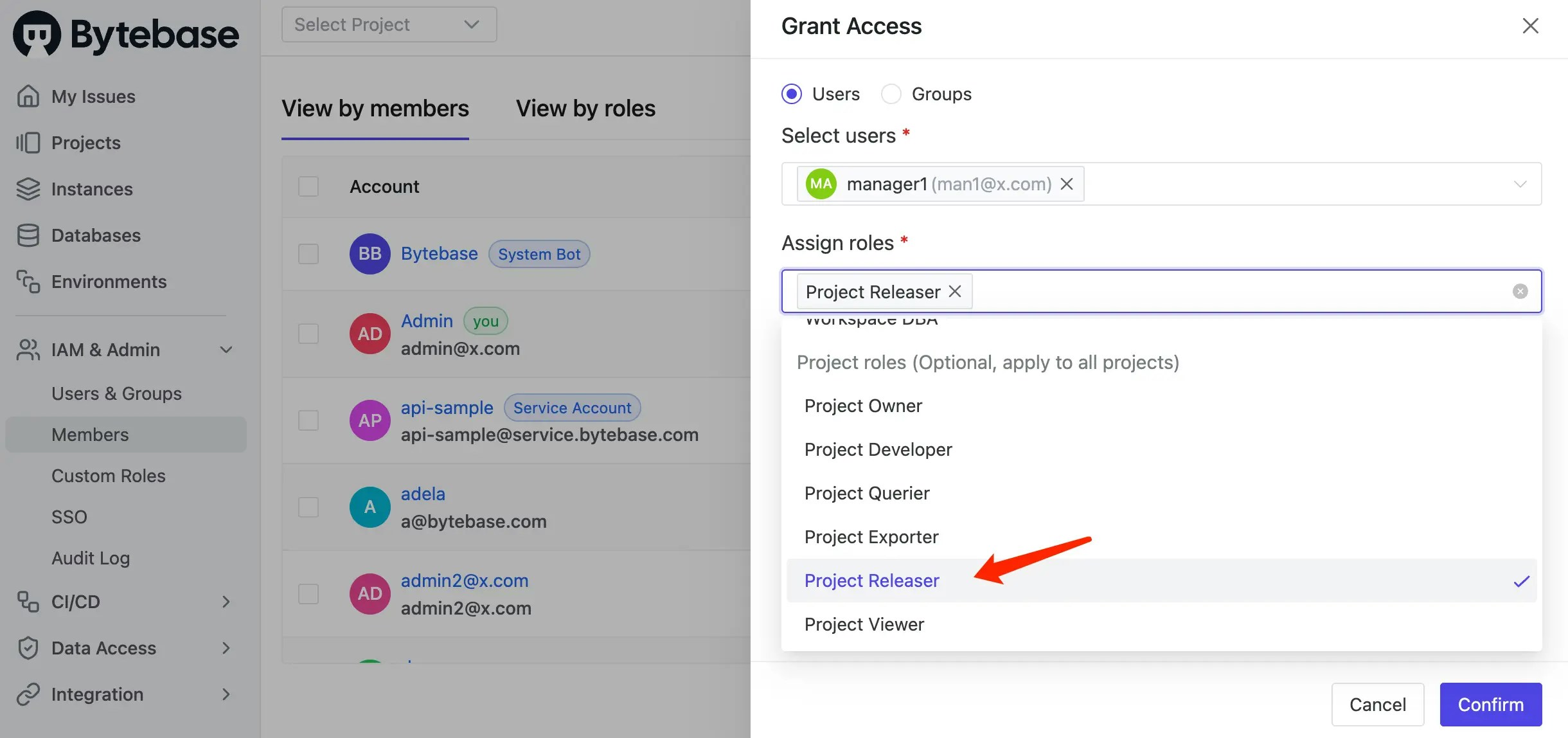
 #### Grant role
Go to **IAM & Admin > Members** click **Grant Access**.
#### Grant role
Go to **IAM & Admin > Members** click **Grant Access**.
 ### Assign role at the Project level
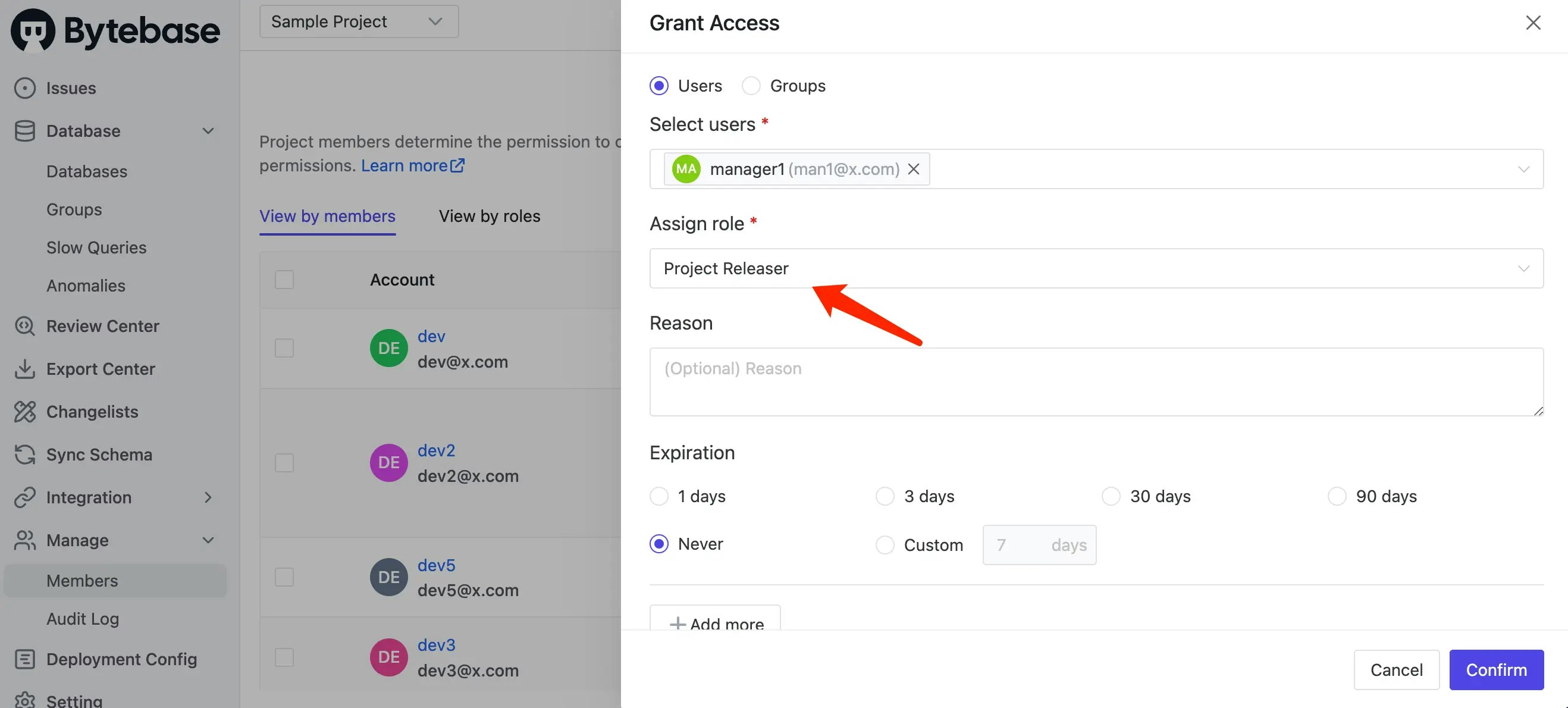
If you want to assign the role to the manager user for a single project, go to the project > **Manage** > **Members**, click **Grant Access**.
### Assign role at the Project level
If you want to assign the role to the manager user for a single project, go to the project > **Manage** > **Members**, click **Grant Access**.
 ## Approach 2: Creating a Custom Role
What if you want to create a custom role with slightly differet permissions or you just want to rename it as a manager role?
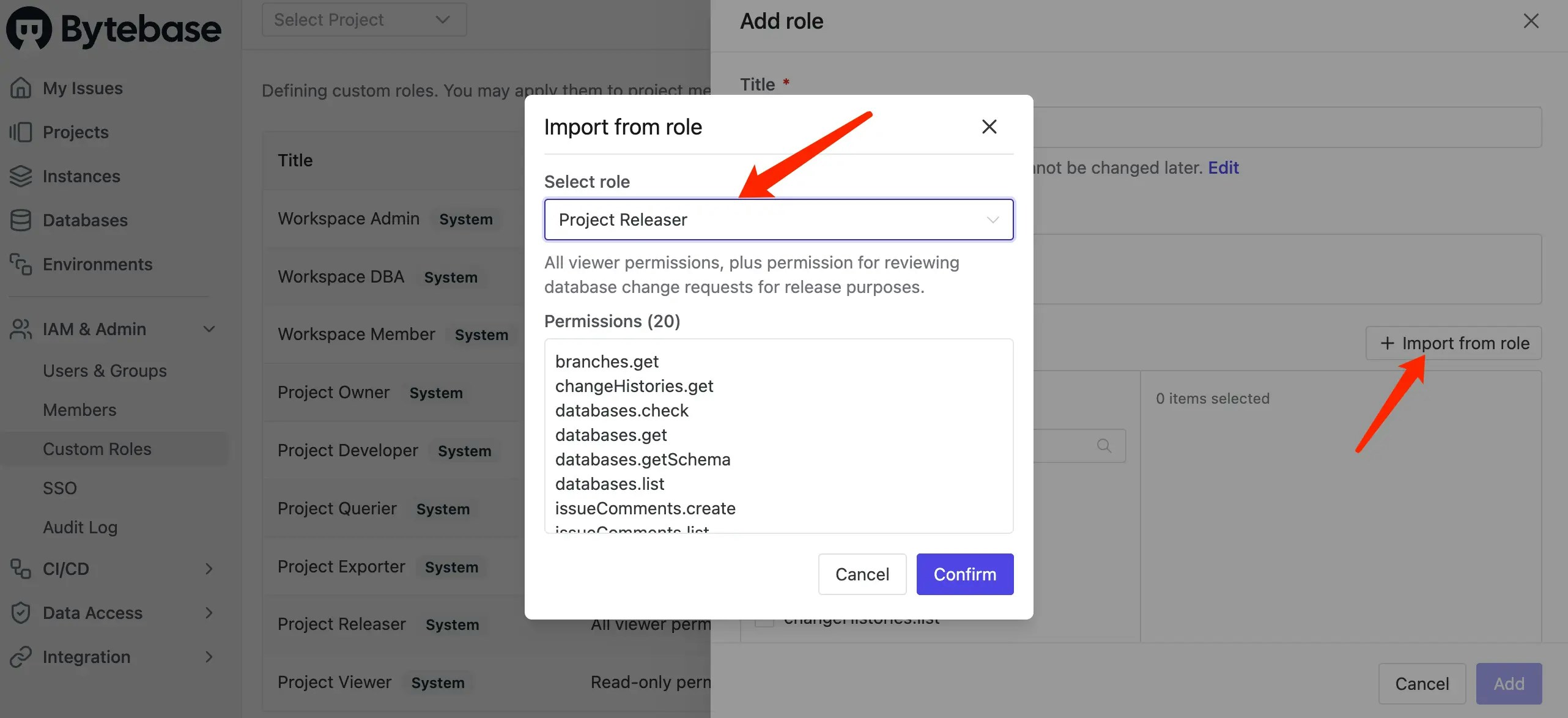
1. Go to **IAM & Admin > Custom Roles**, and click **Add Role** button on the top right.
2. Click **Import from role**, here you choose `Project releaser` and click **Confirm**. The related permissions will be imported.
## Approach 2: Creating a Custom Role
What if you want to create a custom role with slightly differet permissions or you just want to rename it as a manager role?
1. Go to **IAM & Admin > Custom Roles**, and click **Add Role** button on the top right.
2. Click **Import from role**, here you choose `Project releaser` and click **Confirm**. The related permissions will be imported.
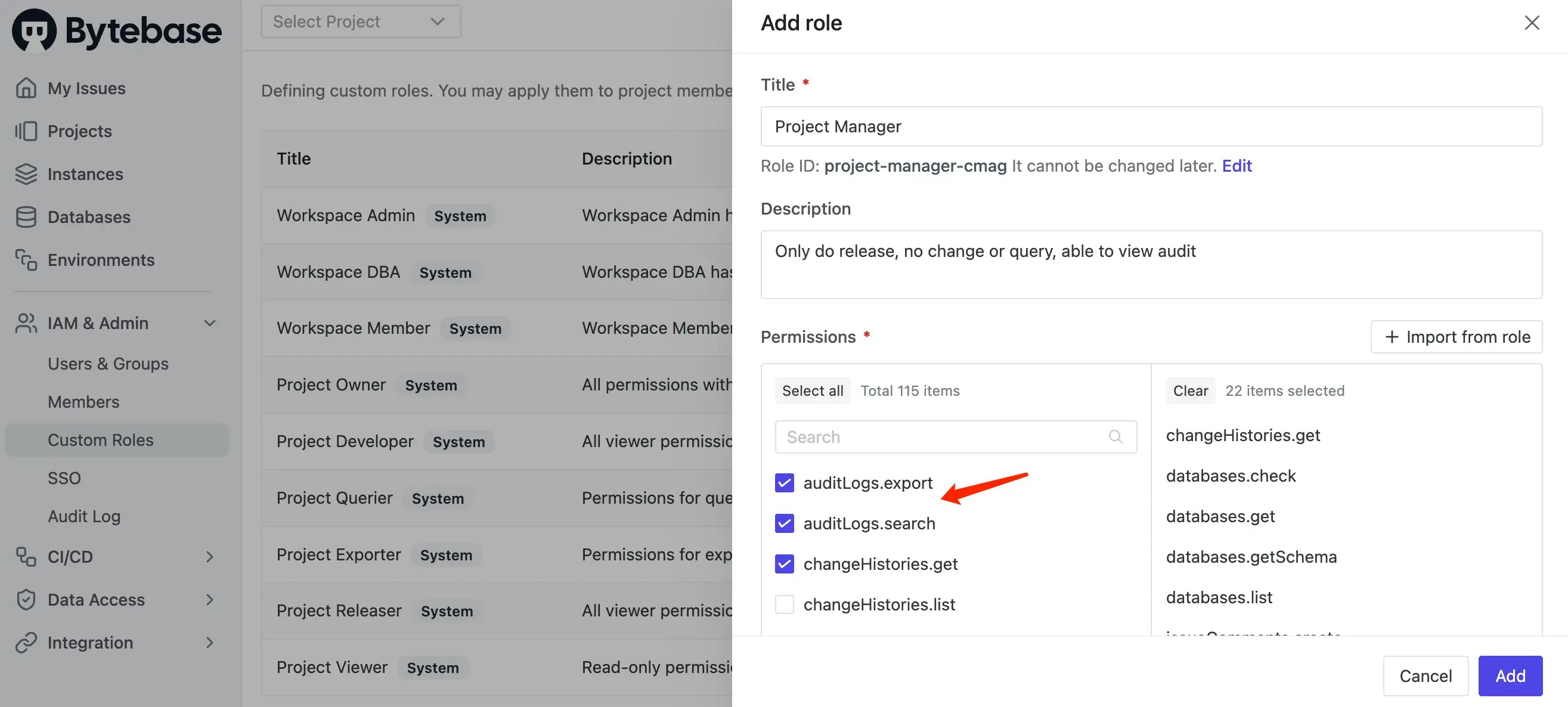
 3. As a manager, you can add two more permissions: `auditLogs.search` and `auditLogs.export`. Click **Add**.
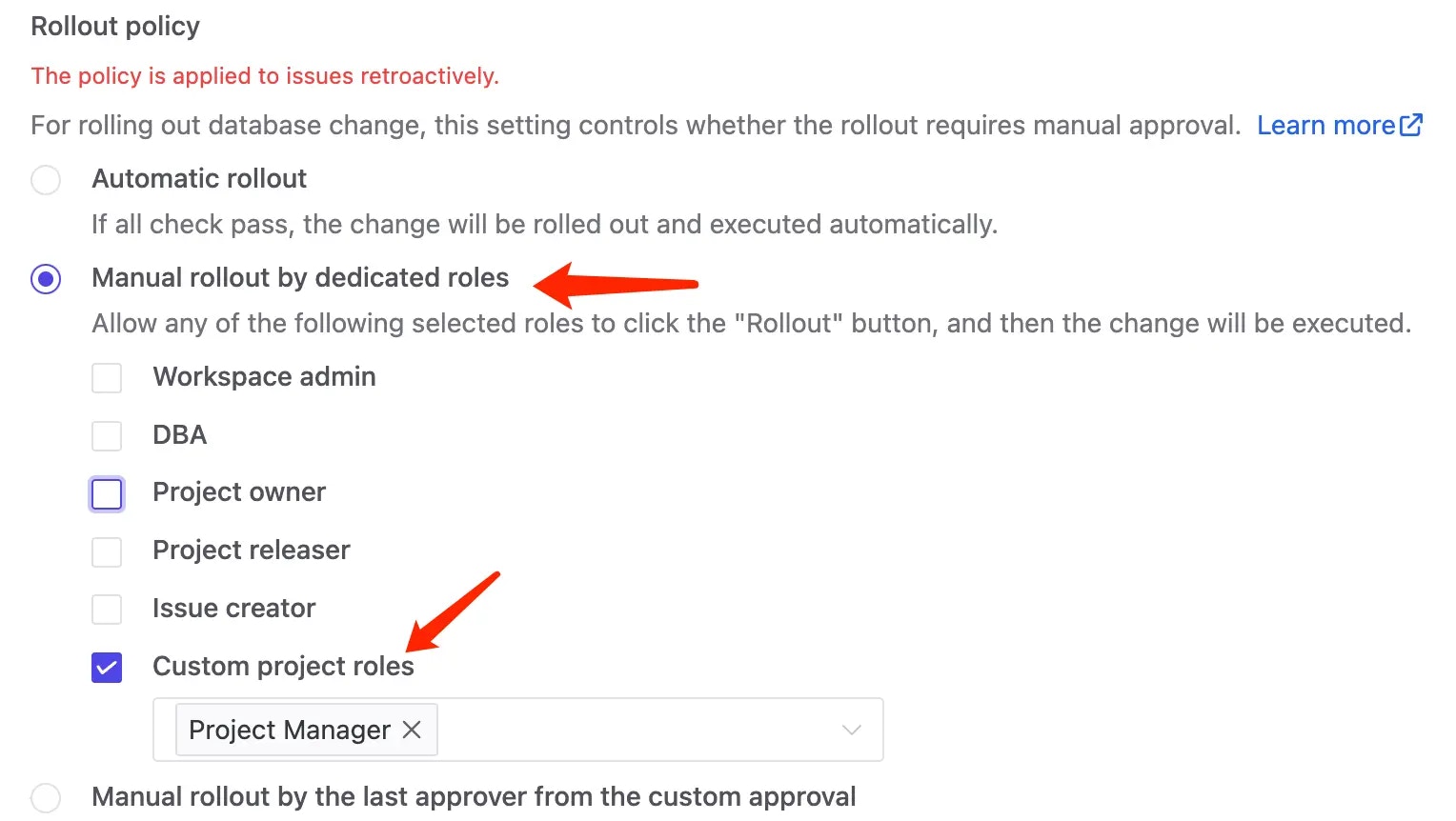
 4. Go back to **Environments**, select the environment and go to **Rollout Policy** section. Check **Manual rollout by dedicated roles** and **Custom project roles > Project Manager**.
 5. The same as for `Project Releaser`, you can assign the role to our manager user at **Workspace** or **Project** level.
## Summary
By utilizing either a system predefined role or creating a custom role, you can grant permissions for database rollout while restricting query and modification access.
5. The same as for `Project Releaser`, you can assign the role to our manager user at **Workspace** or **Project** level.
## Summary
By utilizing either a system predefined role or creating a custom role, you can grant permissions for database rollout while restricting query and modification access.