
Prerequisites
- Sign up for Prisma Postgres, you can sign in with a Github Google account, or email and password.
- After signing in, you are directed to the Prisma Console where you can set up your project.
Procedure
Step 1 - Set up project on Prisma Postgres and collect connection info
Once you have set up your project, click “Connect” button in the Connect Database card and copy the connection string that is generated for you.
Step 2 - Add Prisma Postgres instance to Bytebase
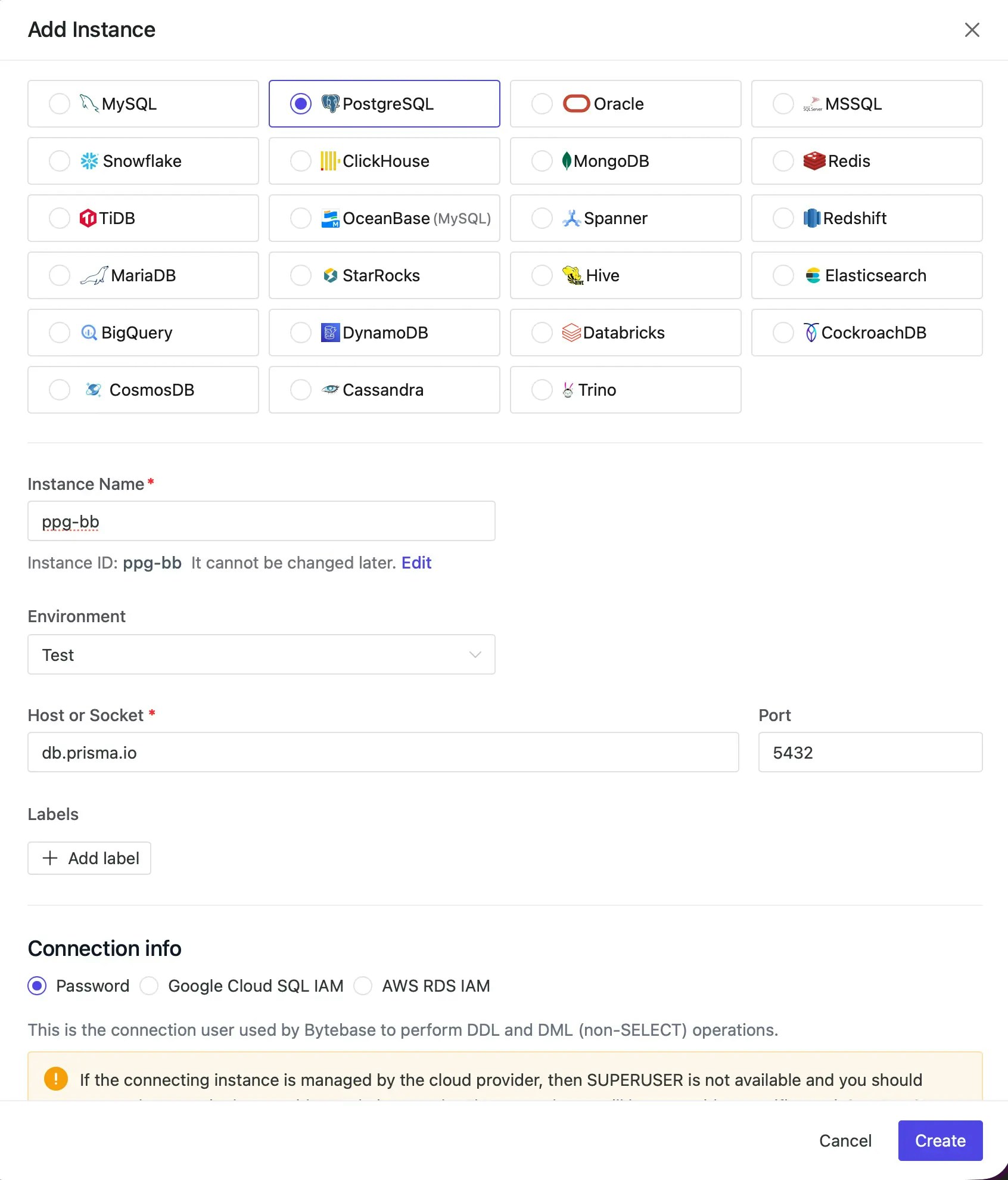
From your Bytebase Create Instance page, choose Add Instance, fill in the details to create the connection as follows:- Database:
PostgreSQL. - Instance Name: any name of your choosing, e.g.
ppg-bb. - Environment:
ProdorTest(select the environment you want to add the instance to). - Host or Socket: the host section of the connection string:
db.prisma.io - Port: 5432 (Prisma Postgres uses the default PostgreSQL port of 5432 to connect)
- Username: copy the username section of the connection string
- Password: copy the password section of the connection string
- Database: copy the dbname section of the connection string:
postgres
Step 3 - Check if the database instance is properly imported
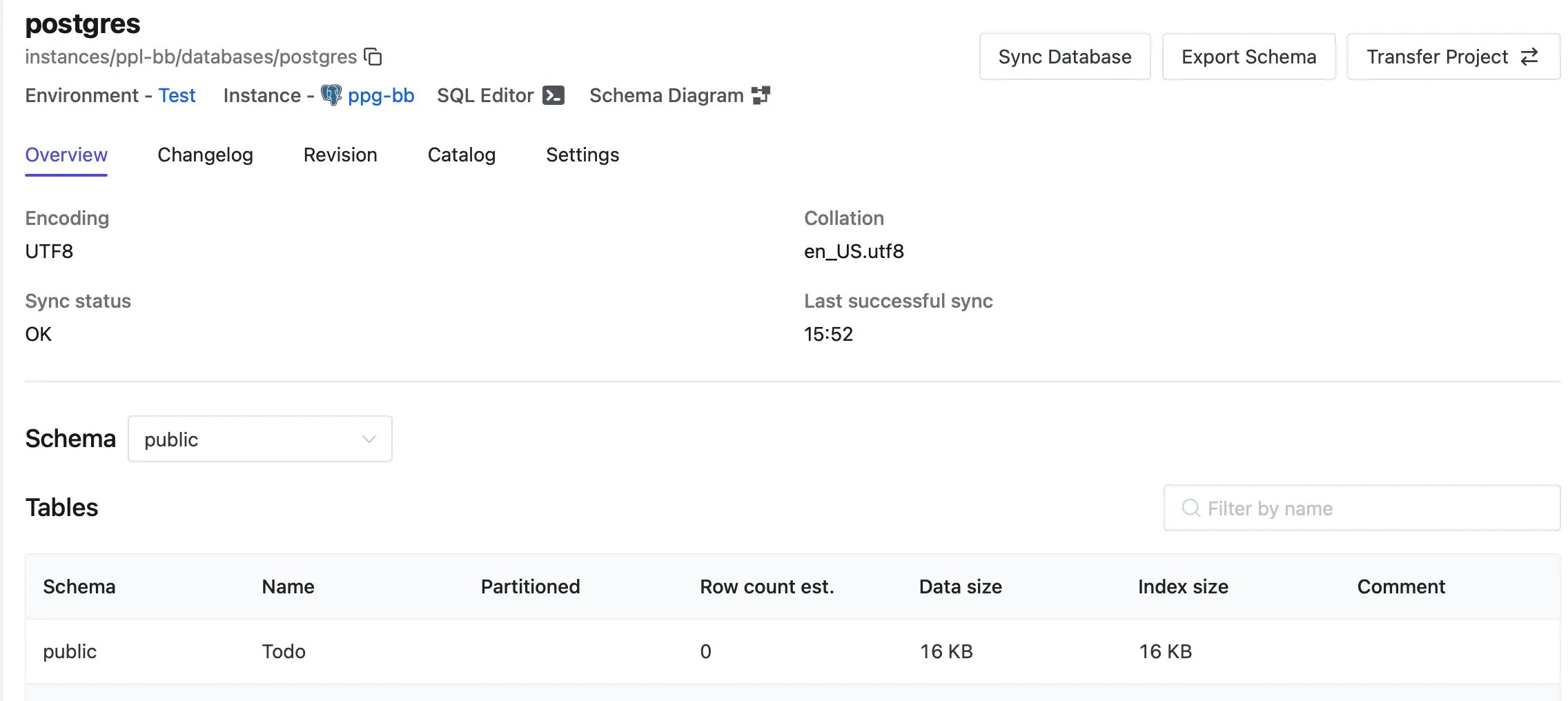
All databases should be synced properly. Expect some delay if the database instance is large. So should the tables under the databases.