Database Instance or simply Instance models after a single database server accessed via a host:port address or a primary/replica cluster. A typical database instance could be your on-premises MySQL instance, a PostgreSQL cluster, an AWS RDS instance etc. Each Database Instance belongs to an Environment.

Prerequisites

  • Workspace Admin or Workspace DBA role

Add instance

If you choose to use sample data during onboarding, Bytebase will start two embedded sample PostgreSQL instances accessible from /tmp:8083 and /tmp:8084.
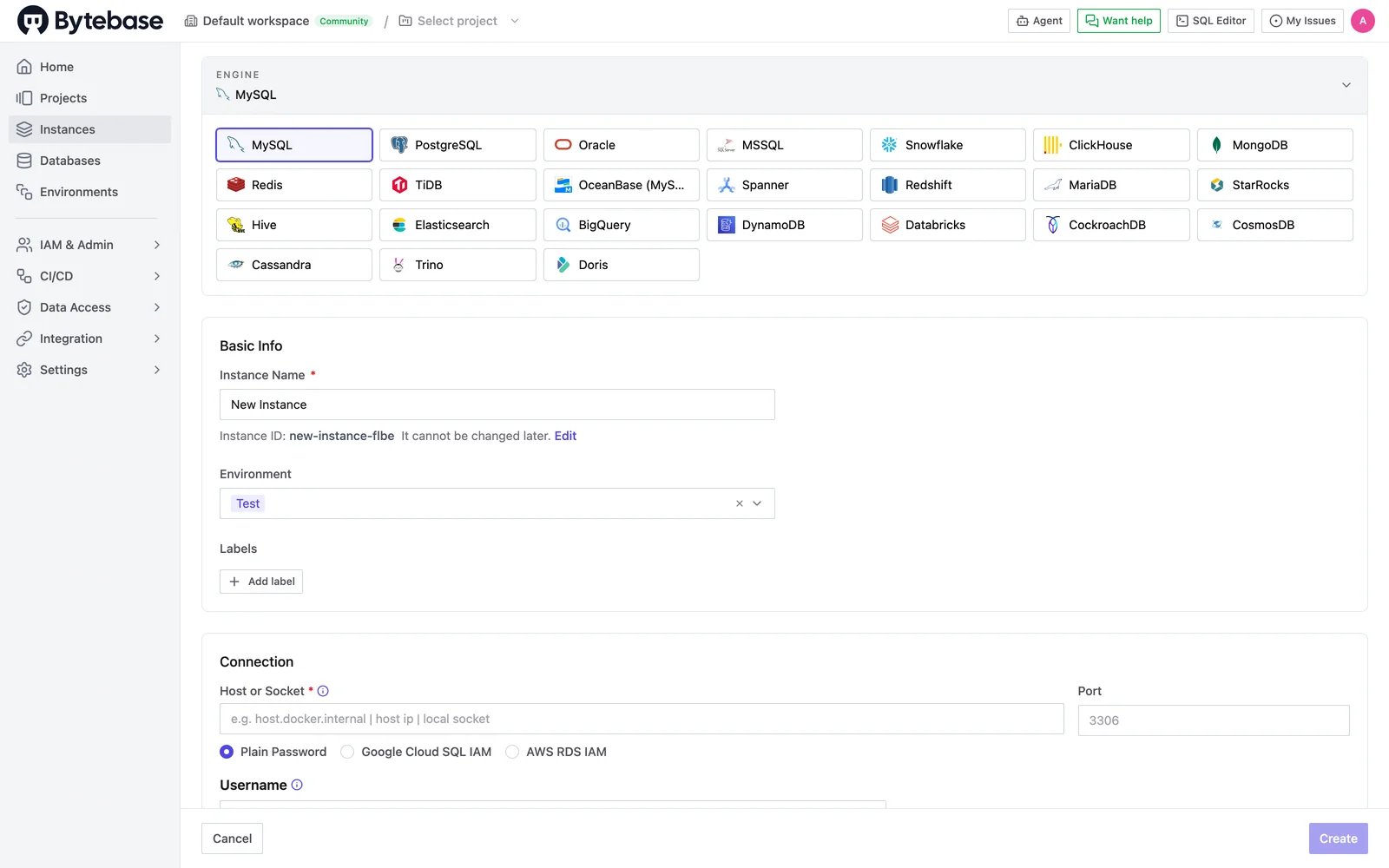
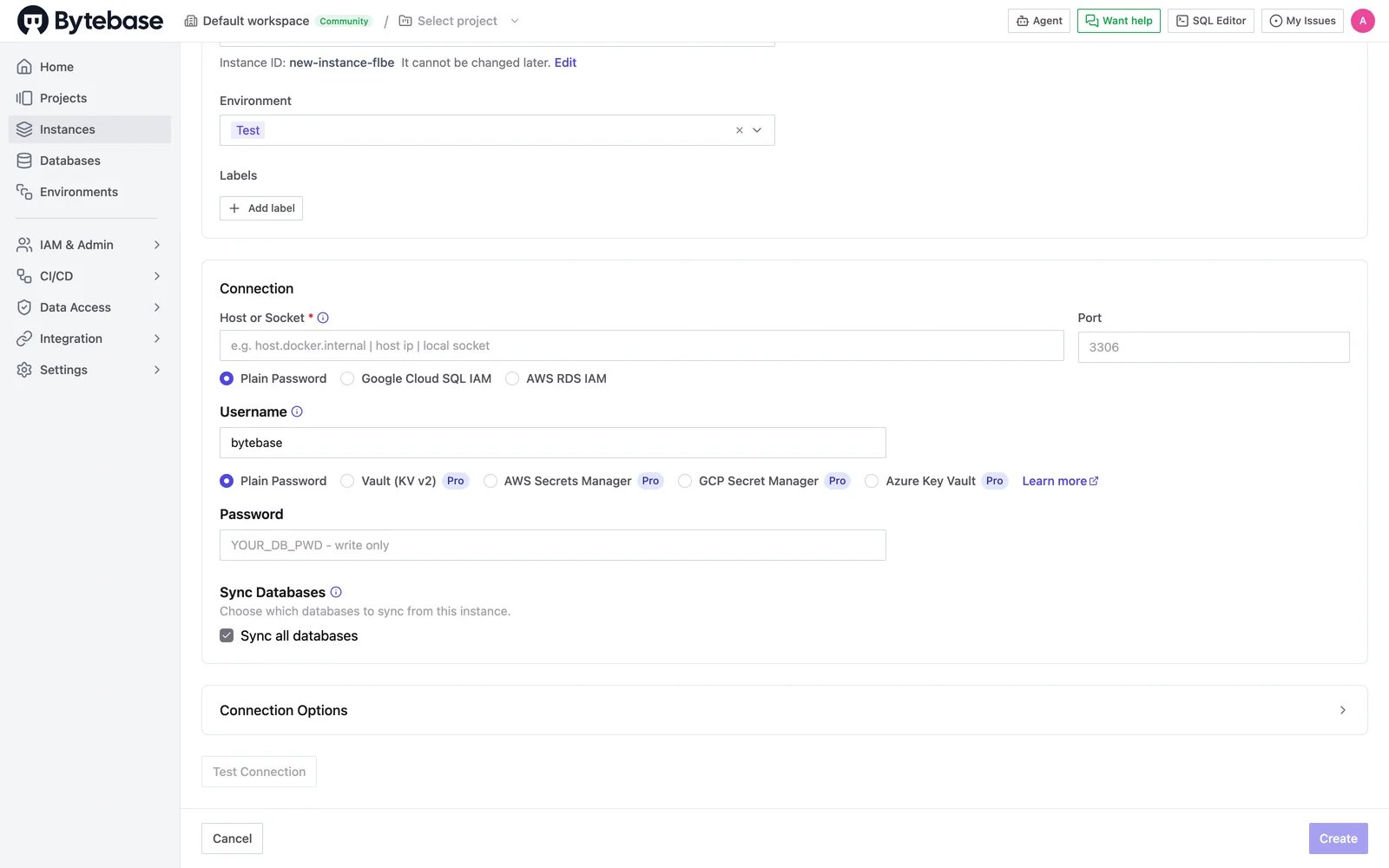
Go to Instances and click Create. Pick the database engine, then fill in the Basic Info — the instance name and the environment it belongs to. Choose engine and fill basic info Next, scroll down to the Connection section and enter how Bytebase reaches the database. Configure the connection For Host or Socket, if you run Bytebase inside Docker and connect to a database on the same host, use host.docker.internal. Check out Instance Connection Configuration for the detailed guide.