

What Gets Validated
Automated checks include:- SQL syntax validation
- Policy rule enforcement (200+ configurable rules)
- Naming convention compliance
- Risk assessment for dangerous operations
- Schema compatibility checks
SQL Review Policy
Configure 200+ linting rules for automated validation
Setup
Prerequisites:- Set up SQL Review Policy - Define your SQL standards
- Install GitOps Integration - Connect Bytebase to your VCS
Use a compatible
bytebase-action image. For Bytebase Cloud, use
bytebase/bytebase-action:cloud. For self-hosted Bytebase, replace :cloud with your
Bytebase server version, for example :3.14.0.CI/CD Integration Examples
- GitHub Actions
- GitLab CI
- Azure DevOps
- Bitbucket Pipelines
GitHub Tutorial
GitHub Example
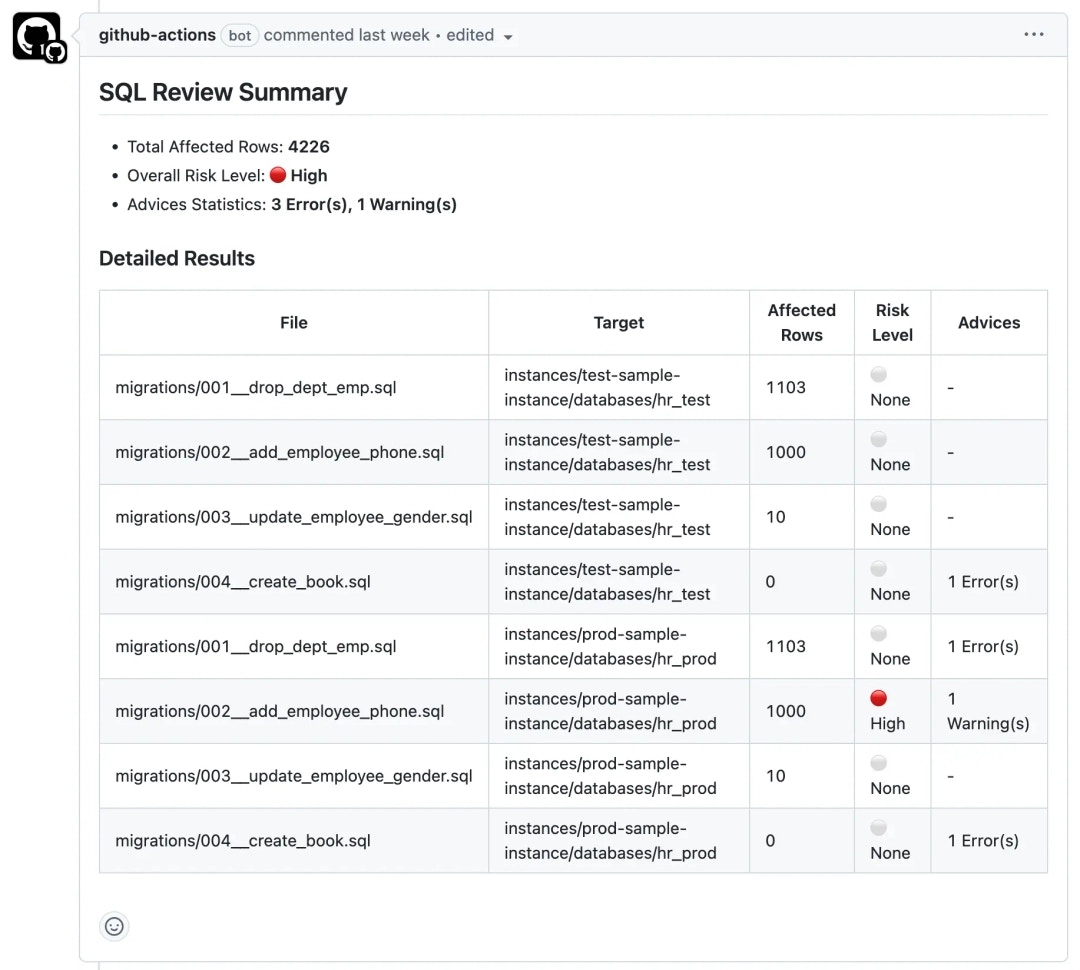
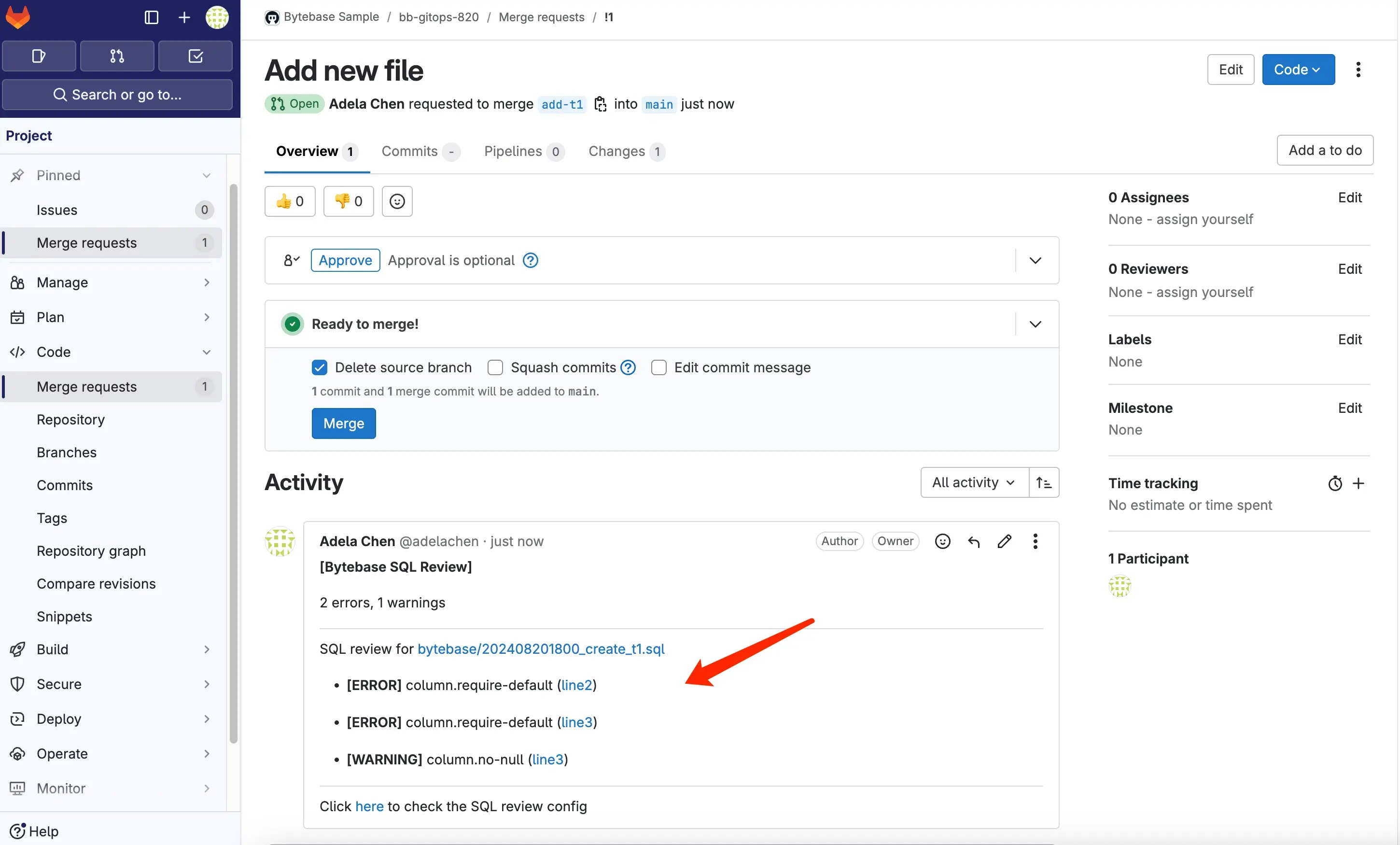
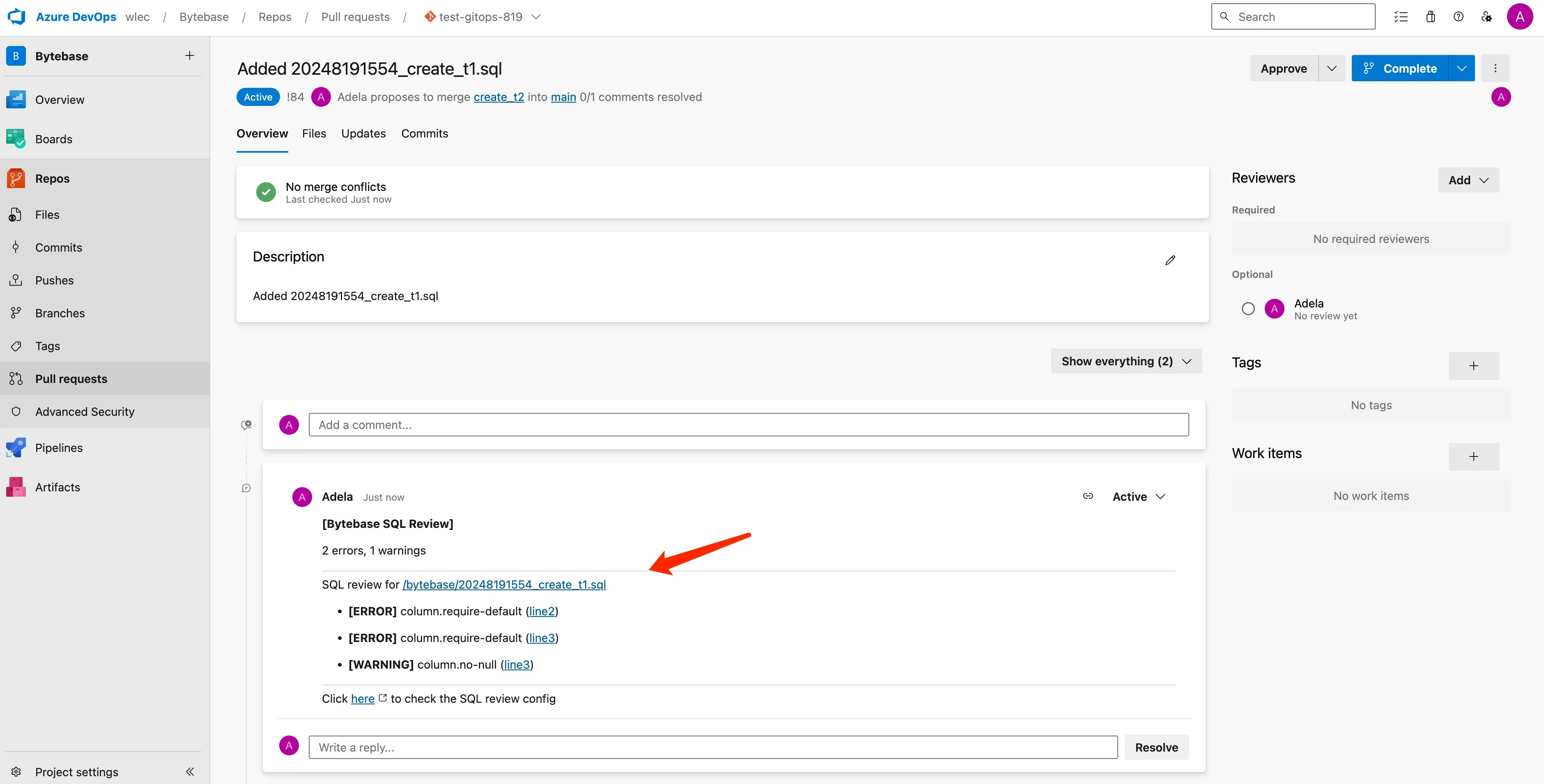
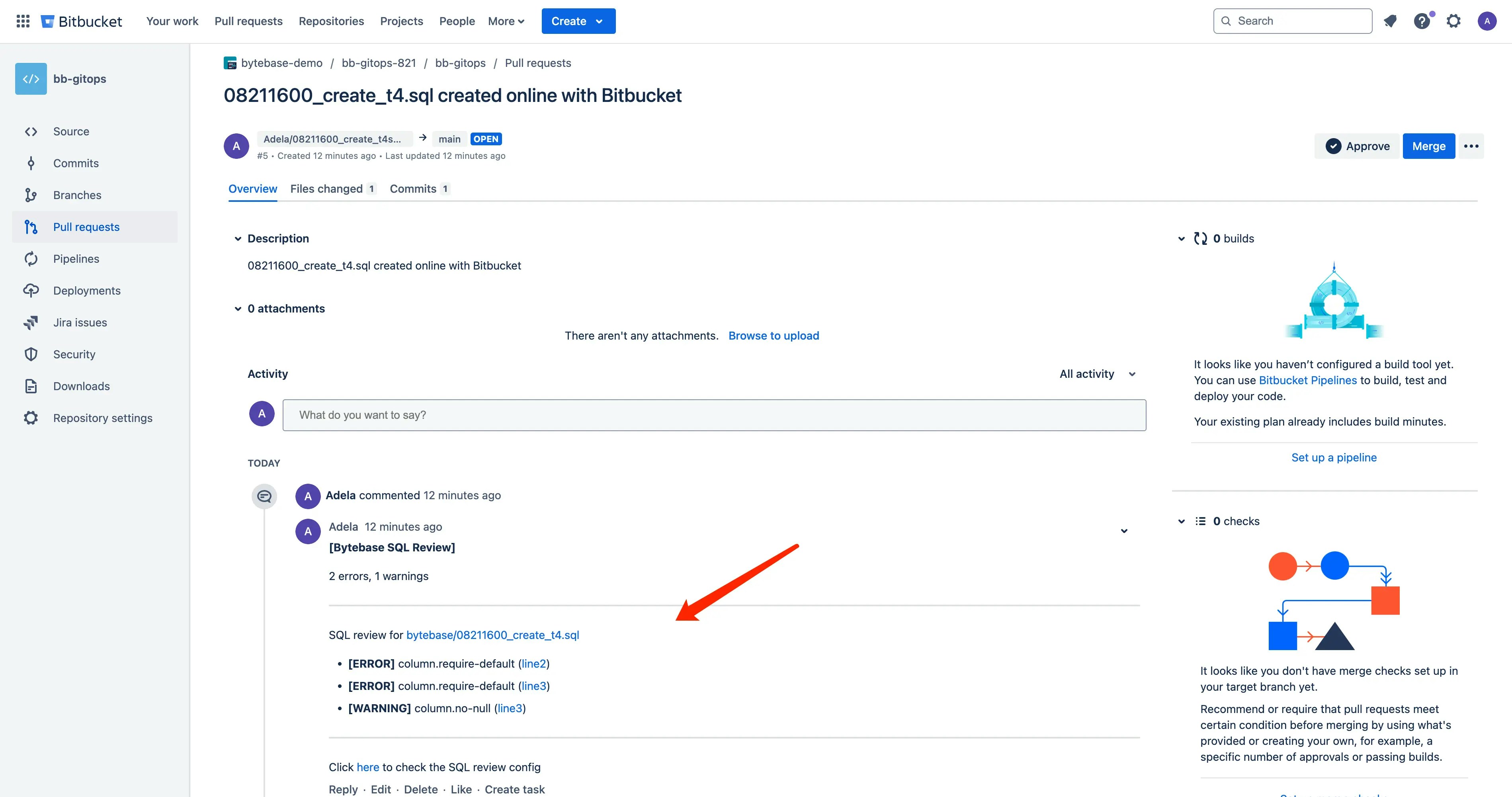
Review Bot Feedback
SQL Review reports findings through your configured CI integration. Set--check-release=FAIL_ON_ERROR to fail on errors or FAIL_ON_WARNING to fail on warnings too. The default SKIP reports findings without failing the job because of their severity.
Feedback includes:
- ✅ Passed checks - Migration meets all policy requirements
- ⚠️ Warnings - Findings to assess under your chosen failure threshold
- ❌ Errors - Violations that fail checks configured with
FAIL_ON_ERRORorFAIL_ON_WARNING - 📊 Risk assessment - Evaluation of potential impact
- 📝 Detailed explanations - Why rules failed with fix suggestions
Next Steps
Release
Deploy your migrations after review approval
SQL Review Rules
Explore all available SQL review rules