

Supported databases: MySQL, PostgreSQL, Oracle, SQL Server, TiDB, Redshift
Enable/Disable Transactions
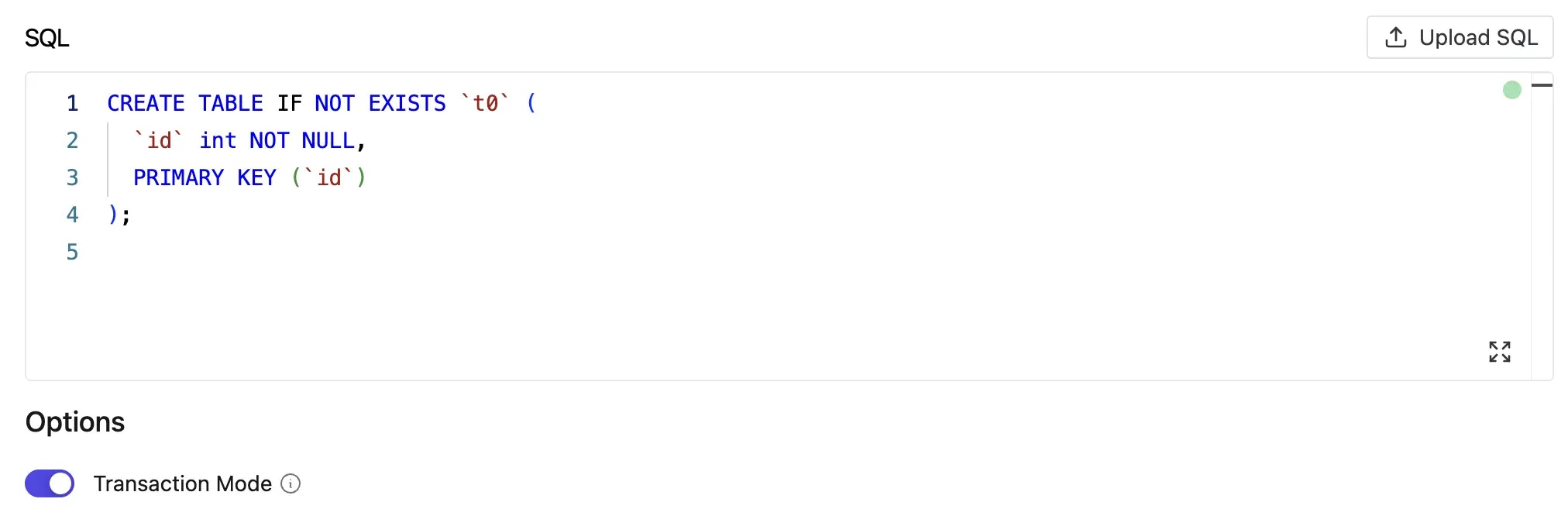
When creating a plan, you can control whether SQL statements are executed within a transaction:- Enabled (default): All statements run within a transaction boundary for safety
- Disabled: Statements execute directly without transaction wrapping
Statements that cannot run in a transaction block
Some PostgreSQL statements cannot run inside an explicit transaction block. When such a statement runs afterBEGIN — or when a migration tool wraps it in a transaction — PostgreSQL rejects it with an error like:
BEGIN):
You do not need to run these statements manually outside Bytebase. Bytebase automatically detects the most common ones and runs them outside the transaction — even in the default, transaction-enabled mode:
CREATE INDEX CONCURRENTLYDROP INDEX CONCURRENTLYVACUUMDROP DATABASE
REINDEX ... CONCURRENTLY, CREATE DATABASE, CREATE TABLESPACE, ALTER SYSTEM, and some ALTER TYPE ... ADD VALUE cases — disable transaction mode so Bytebase runs the statements directly:
MySQL-Specific Settings
For MySQL databases, Bytebase offers additional control over transaction isolation levels to manage concurrent access and data consistency: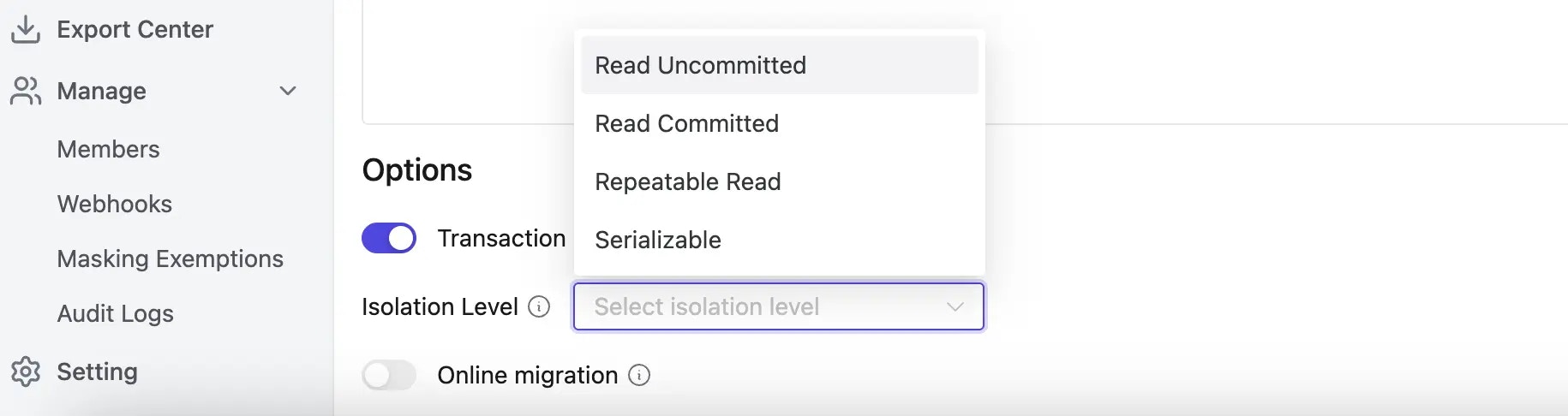
Available Isolation Levels
- READ UNCOMMITTED: Lowest isolation, allows dirty reads
- READ COMMITTED: Prevents dirty reads, allows non-repeatable reads
- REPEATABLE READ: Default MySQL isolation, prevents dirty and non-repeatable reads
- SERIALIZABLE: Highest isolation, prevents all phenomena but may impact performance
GitOps
In the GitOps workflow there is no UI toggle, so transaction mode and isolation level are controlled via comment directives at the top of the migration file:-- txn-mode = on|off— wrap the script in a transaction, or run statements directly without transaction wrapping-- txn-isolation = READ UNCOMMITTED | READ COMMITTED | REPEATABLE READ | SERIALIZABLE— MySQL only
- Directives must appear at the top of the file, before any non-comment SQL
- Empty lines between directives are allowed; scanning stops at the first non-comment line
- The order of the two directives does not matter
- Whitespace around
=is optional —-- txn-mode = offand-- txn-mode=offare both accepted; the spaced form shown above is the canonical style
Best Practices
- Keep transactions enabled for DDL and DML operations that modify data
- Consider disabling transactions only for:
- Large batch operations that manage their own transaction boundaries
- Statements that cannot run within a transaction block — see Statements that cannot run in a transaction block
- Choose appropriate isolation levels based on your concurrency requirements and performance needs