

- Granted — an admin assigns it from the Members page. See Assign Roles for the mechanics at workspace and project level.
- Requested — the member requests it, an approver reviews, and approval creates the same binding an admin would have made. Described below.
Enable role requests
In the project, click Settings on the left sidebar, find Security & Policy, and turn on Allow request role. The indicator next to the toggle shows which approval flow requests will follow.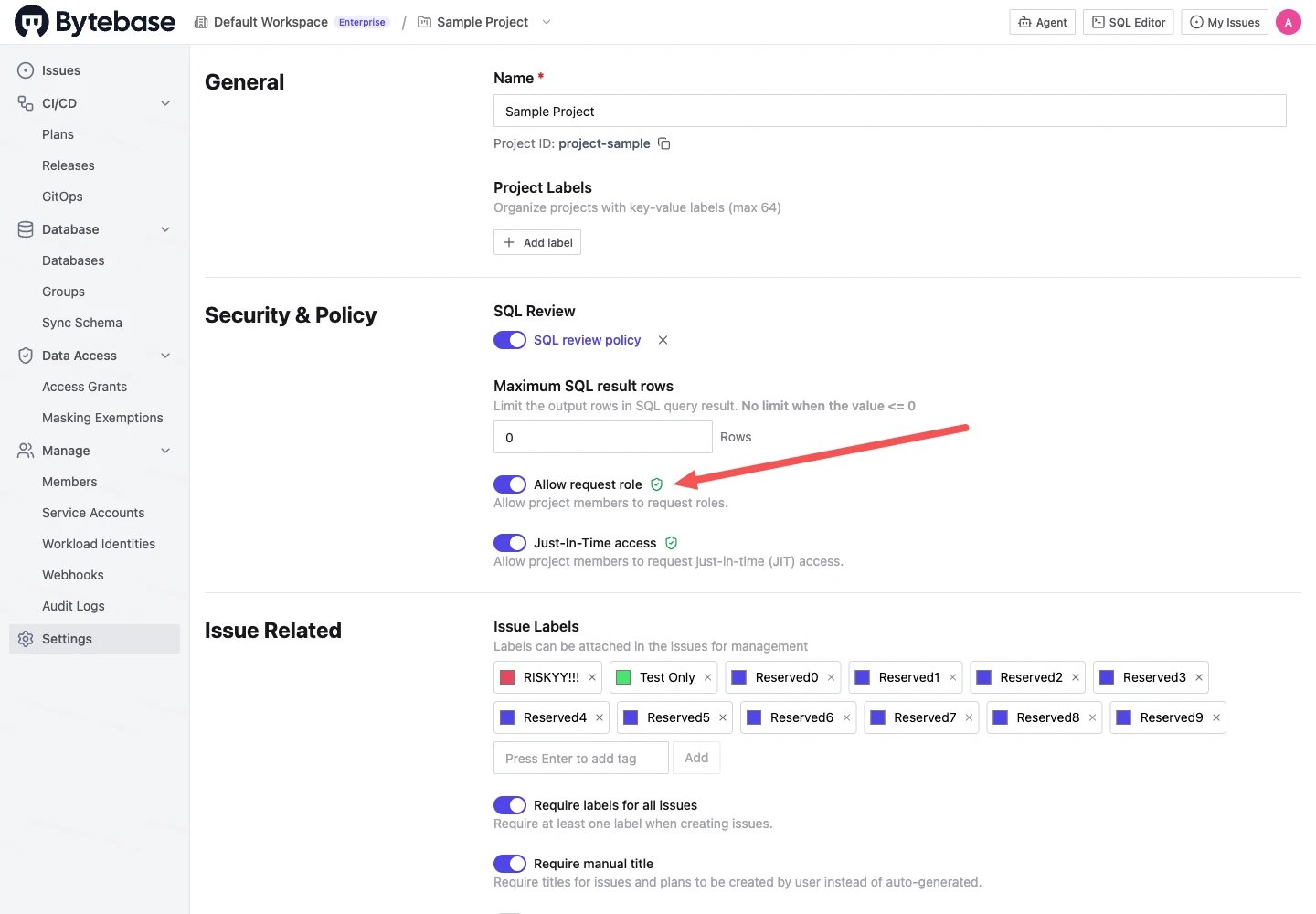
bb.issues.create permission in the project — the built-in Project Viewer and Project Developer roles carry it.
Configure the approval flow
Role requests are reviewed with Custom Approval (Workspace > CI/CD > Custom Approval): add a rule under the Request Role source to route them to the right approver. If no rule matches, the workspace Fallback Rules apply.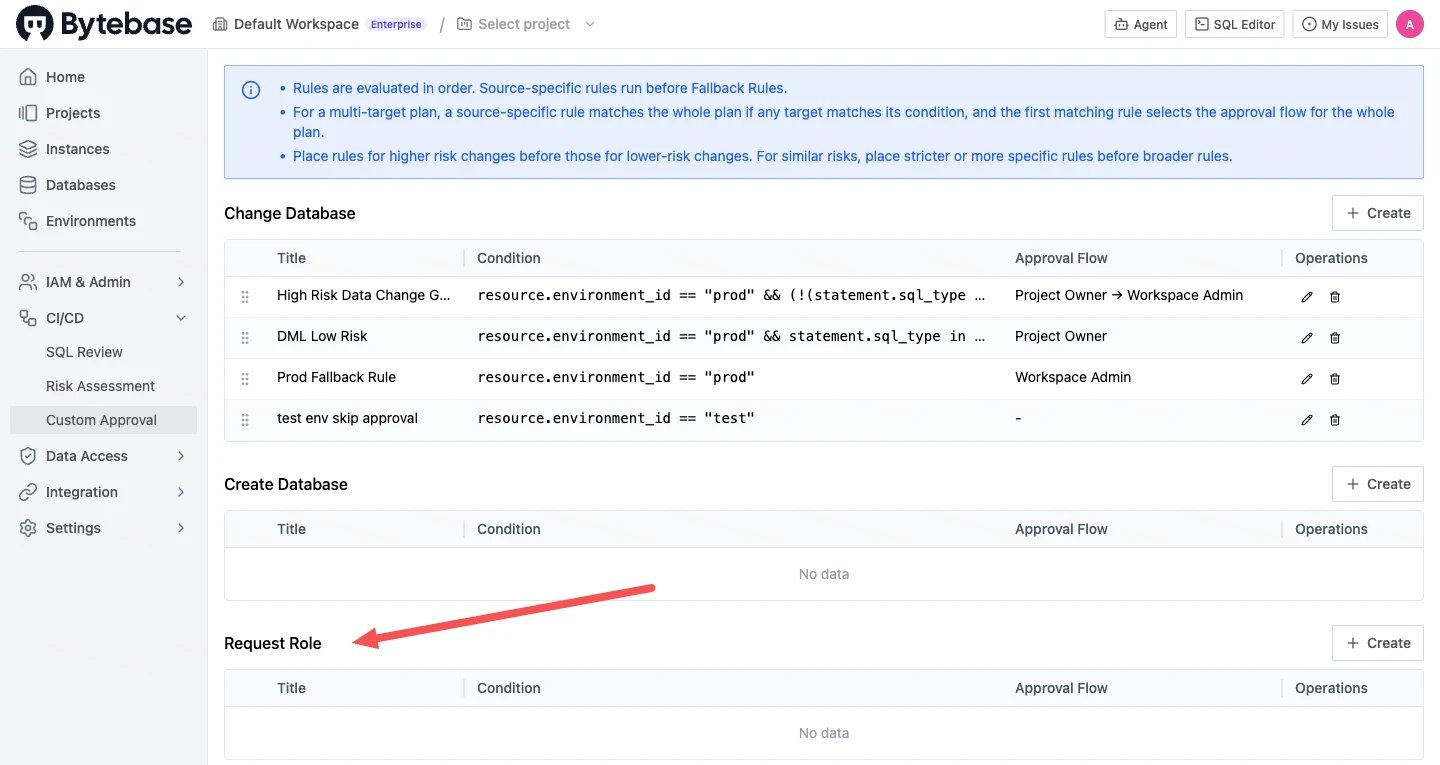
Turning on the project setting requires the
bb.projects.update permission — for example a Project Owner or Workspace Admin. Editing approval flows requires bb.settings.set — for example a Workspace Admin.Start a request
- Members — in the project, go to Manage > Members and click Request role. (The button is hidden for members who already hold full project access.)
- SQL Editor — on a permission-denied result, click Request query. The request opens pre-filled with the databases you tried to reach and the smallest built-in role covering the missing permissions. (If the project has access grants enabled and you only lack read permission, SQL Editor offers an access grant request instead.)
- Anywhere else — a permission-denied page in Bytebase offers Request role directly.
The request
Pick the role, optionally narrow the scope to specific databases, schemas, and tables (for DDL/DML-capable roles, also the environments — the same scope as an admin grant), set an expiration, and give a reason. After you submit, an approver reviews the request issue. Approval rules under the Request Role source can match the requested role (request.role) and duration (request.expiration_days). Once approved, the role is granted and shows up on the Members page like any other binding, until it expires.
Expiration
A role binding can carry an expiration; once it passes, Bytebase revokes the role automatically. When granting, pick a preset (1 week, 1 month, 3 months, 1 year), a custom date, or Never if the workspace allows unlimited grants.Maximum role expiration
A Workspace Admin can cap how long any role stays granted, so members can’t hold long-lived access. Go to Settings > General, find Maximum role expiration in the Security section, and set the number of days. Select Never expires to remove the cap. The cap applies to project-level role bindings — both granted from the Members page and requested — with one exception: the Project Owner role. Once a cap is set, every new binding must carry an expiration within it; presets beyond the cap and the Never option disappear.Changing this setting requires the
bb.settings.setWorkspaceProfile permission — for example a Workspace Admin. Access grants are capped by a separate setting, Maximum request expiration, in the same section.