Tutorial: Batch Change with Database Group
Change databases from multiple environments
A development pipeline usually consists of multiple environments. Each environment has its isolated database to store the respective data. A schema change will be propagated from each database following the development pipeline. You may have multiple databases in one stage as well. In Bytebase, you can select multiple databases from different environments to apply the database change.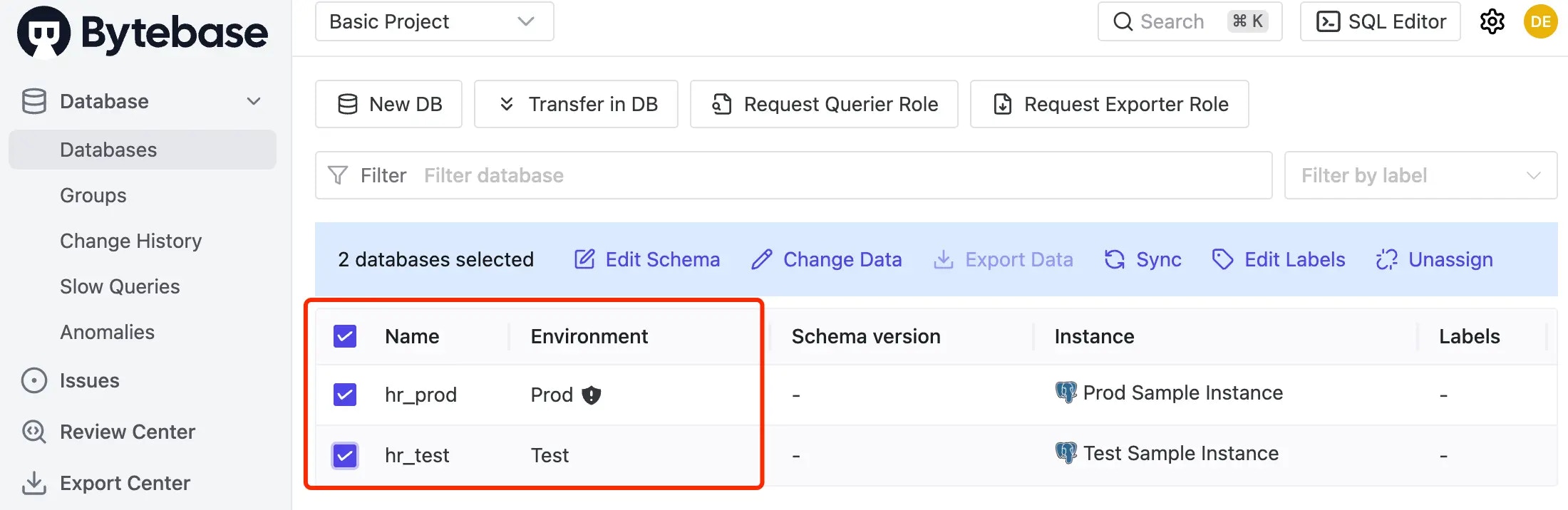
Database group
Database groups allow you to manage and batch change multiple databases together. This is particularly useful for SaaS multi-tenant architectures, geographic deployments, or database partitioning scenarios.Database Group Configuration
Learn how to create and manage database groups
Batch change databases in a group
-
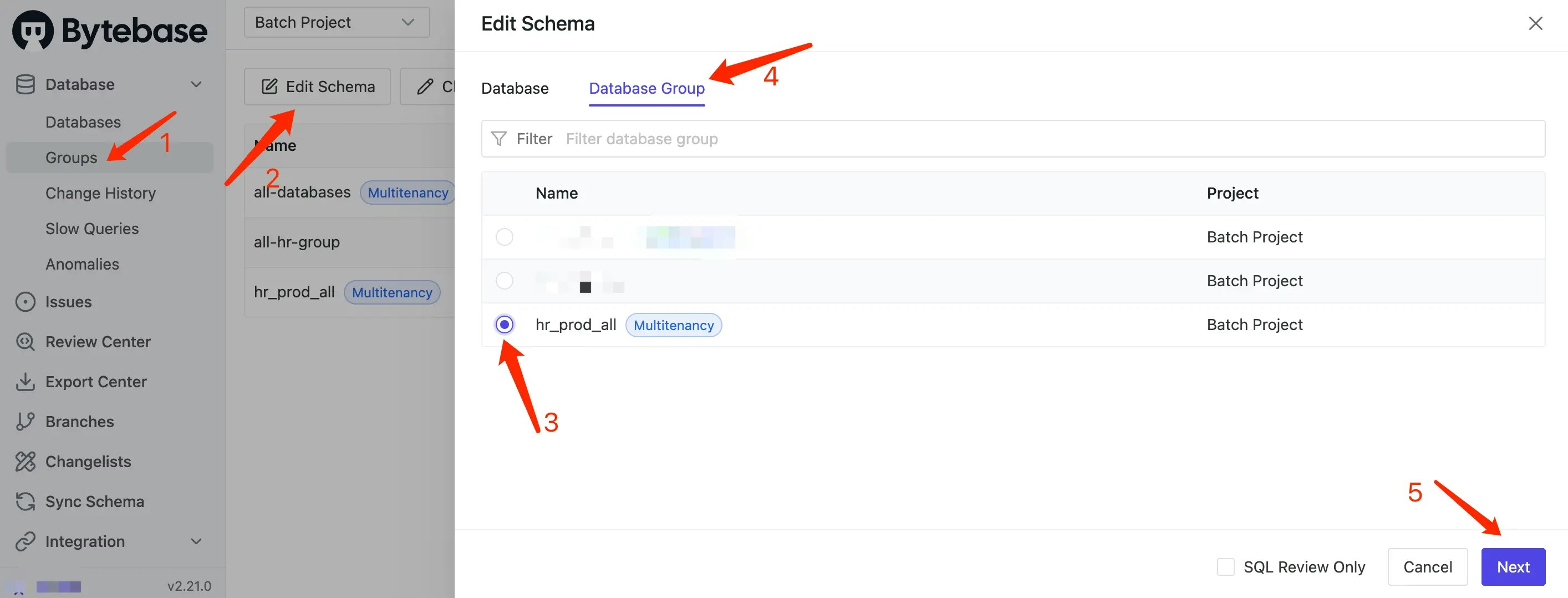
Within the project, click Database > Groups on the left-side bar. Click Edit Schema, choose Database Group, select the database group you’ll operate and click Next.
-
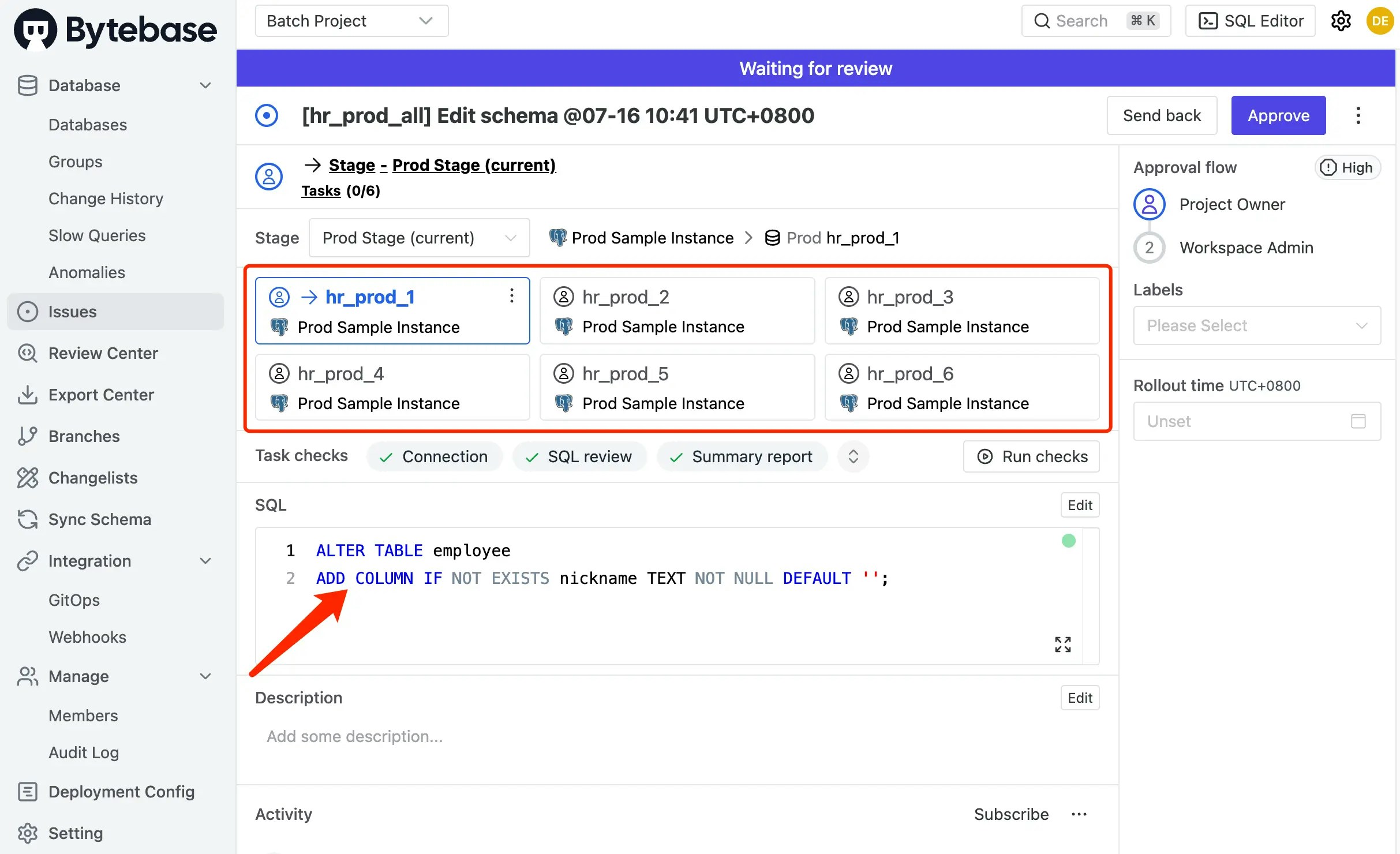
A Plan with the selected databases will be previewed. Add the SQL and click Create to save a draft Plan and its linked draft Issue. Inspect the checks, then submit with Ready for Review as described in Plan authoring.